Using ##emem_
Usingmenuitems
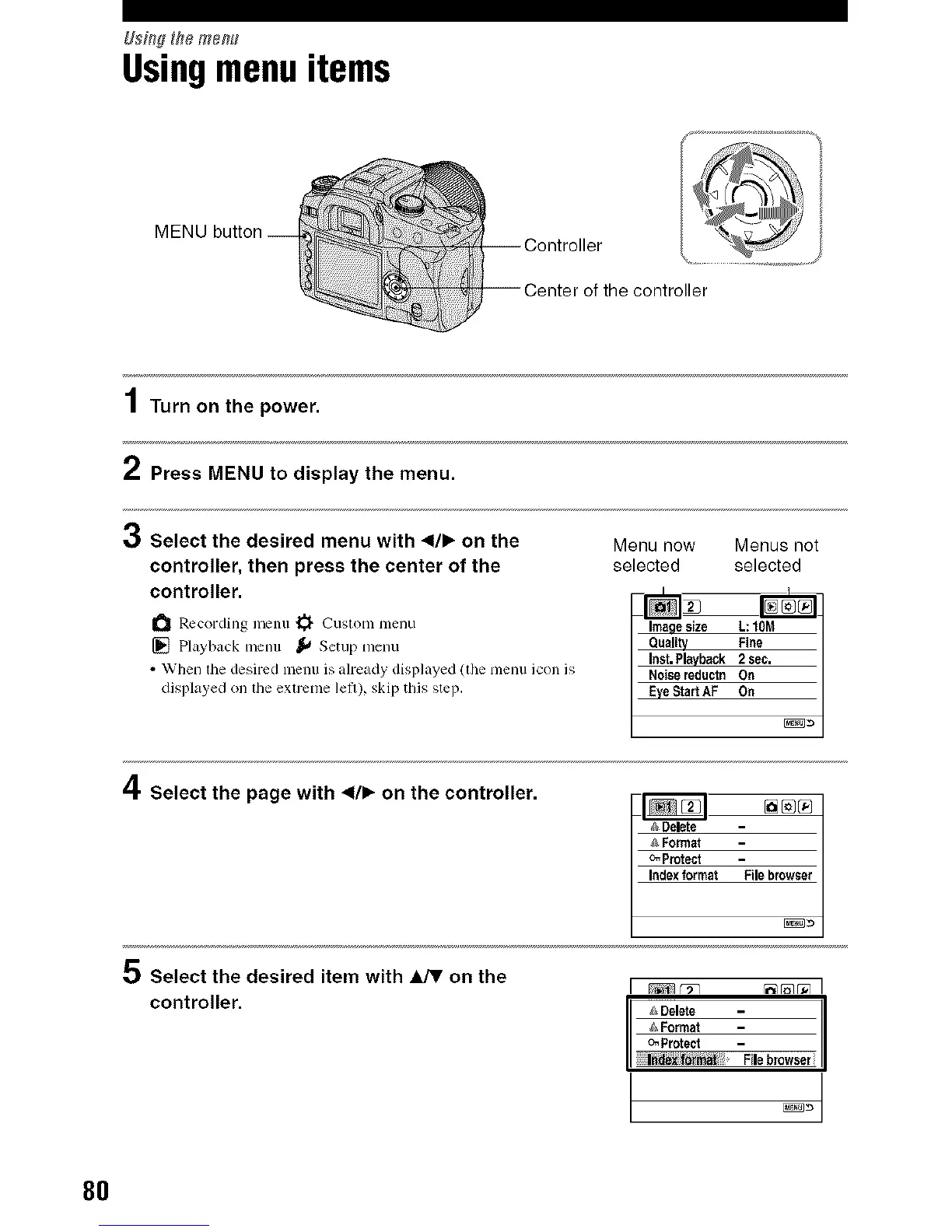
MENU button
of the controller
1Turn on the power.
2 Press MENU to display the menu.
0 Select the desired menu with 4/1_ on the
controller, then press the center of the
controller.
Recording menu _ Custom menu
[] Playback menu _,_ Setup menu
• When tile desired lllellll is aheady displayed (tile l/lentl icon is
displayed on the extrenle lelt), skip this step,
Menu now Menus not
selected selected
I
Imagesize L: tOM
/ Quality Fine /
Noisereduetn On
Eye Start AF On
4 Select the page with 41/_. on the controller.
D_eta _ [_[_
o
&Format
_Protect
Indexformat Filebrowser
Select the desired item with _ on the
controller.
[ _r_ _r_r_I
I " I
_,_Format
o_Protect F
ile browser
t oot
8O



 To Next Page
 Loading...












