2-23
DSLR-A300_L2
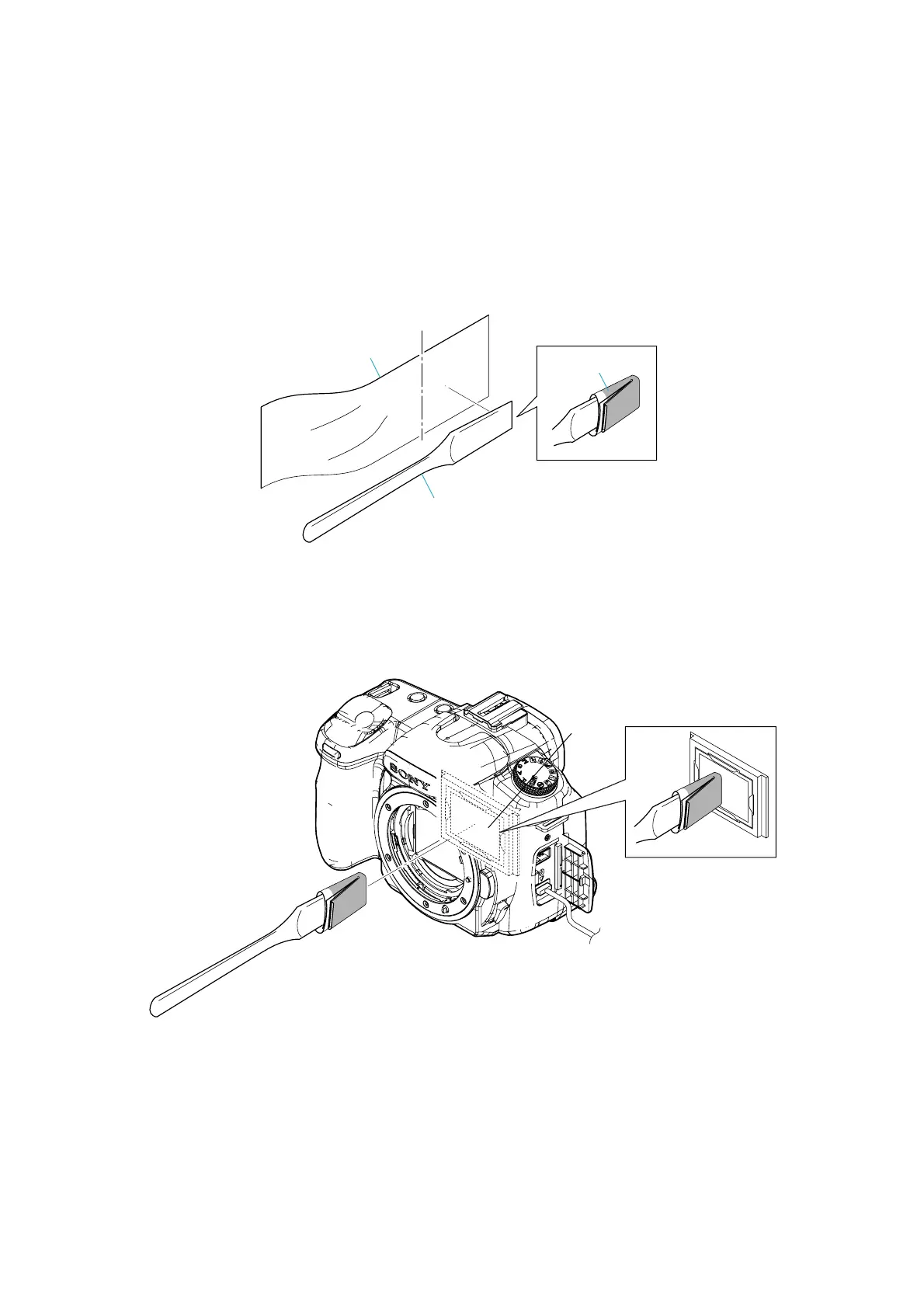
2-11.CLEANING PROCEDURE OF OLPF
<Preparation>
Make it to Cleaning Mode of Power On/Set Up Menu by using the AC power supply.
(It comes to Mirror Up/Shutter Open)
Note: Use the AC power supply absolutely.
<Cleaning Method>
1. Soak a small amount of EE3310 (Liquid cleaner) after wrapping the cleaning cloth (J-6082-636-A) around the cleaning
jig (J-6082-635-A).
2. Surface of OLPF is cleaned. (Note that there is no wipe irregularity)
3. Power off. (It comes to Shutter Close/Mirror Down)
Note: The cleaning of the OLPF must use a specified jig. If the specified jig is not used, the low pass filter might be
damaged.
OLPF
Cleaning Jig
(J-6082-635-A)
Cleaning Cloth
(J-6082-636-A)
Cut
EE3310



 To Next Page
 Loading...








