44
Using Various Functions with the Control Menu
1 8
(
3 4
)
1 2
(
2 7
)
C
0 1 : 34 : 30
DVD
A: 18 – 01 : 32 : 55
B: 18 – 01 : 34 : 30
CHAPTER
TIME
ON
Select:
ENTER
A–B REPEAT
PLAY
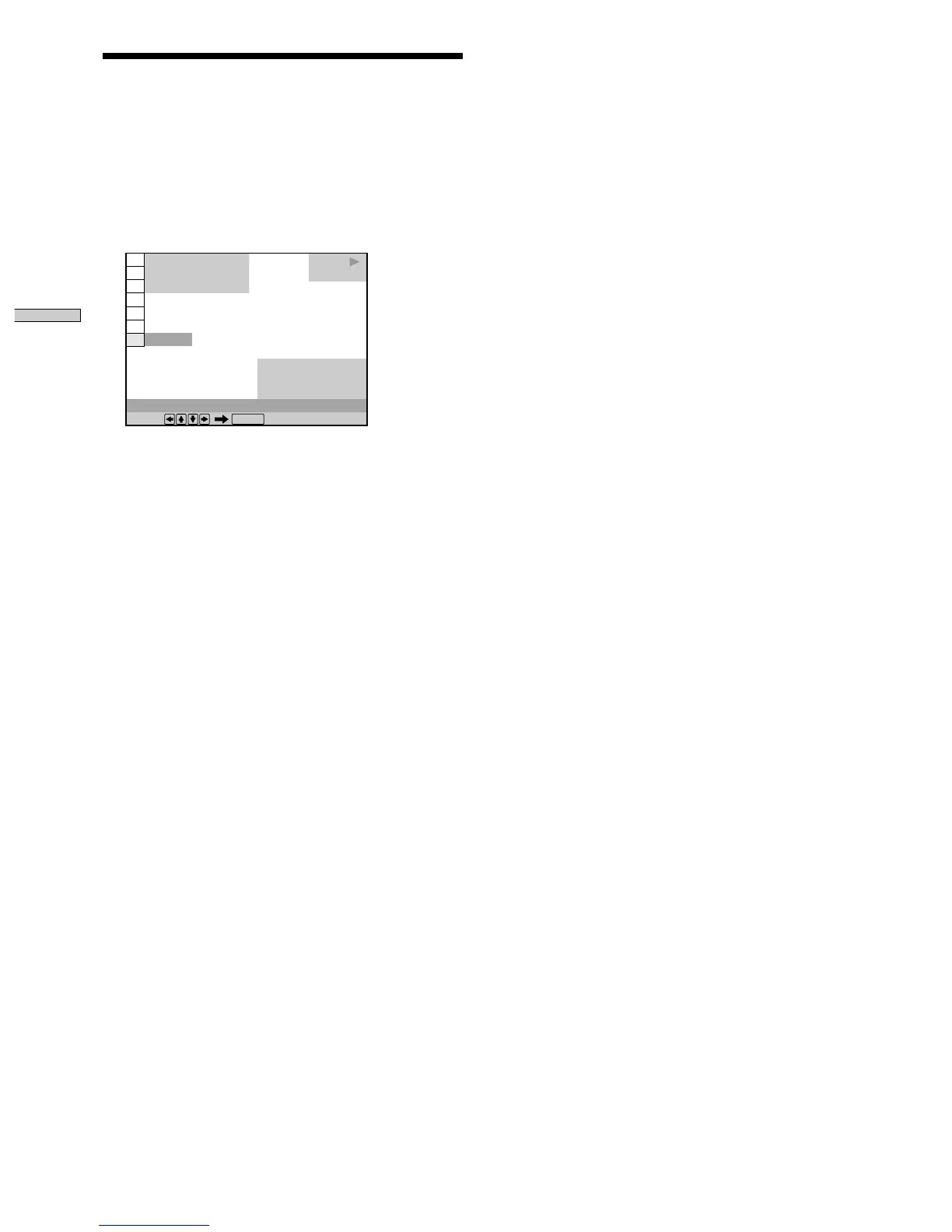
3 When you reach the ending point (point B), press
ENTER again.
The set points are displayed and the player starts
repeating this specific portion.
“A-B” appears on the front panel display during A-B
repeat play.
To stop A-B Repeat Play
Press CLEAR on the remote.
Notes
• You can set A-B Repeat for only one specific portion.
• A-B Repeat is canceled when:
– you open or close the disc tray
– the player enters standby mode by pressing @/1 on the
remote
– you turn the power off by pressing ! on the player
• When you set A-B Repeat, the settings for Shuffle Play and
Program Play are canceled.
• You may not be able to set A-B Repeat for some DVD or VIDEO
CD scenes.
Repeating a Specific Portion (A-B Repeat)
Ofrecido por www.electromanuales.com



 To Next Page