After immersing your device in water or after getting the USB port wet, make sure the
USB port is dry before you insert a USB cable into the port, for example, to charge your
device or connect it to a computer.
After exposure to water, the USB port dries out naturally after a number of hours. If you
don't want to wait for the port to dry naturally, you can shake any excess moisture from
the USB port and then use a microfiber cloth to wipe away any remaining moisture.
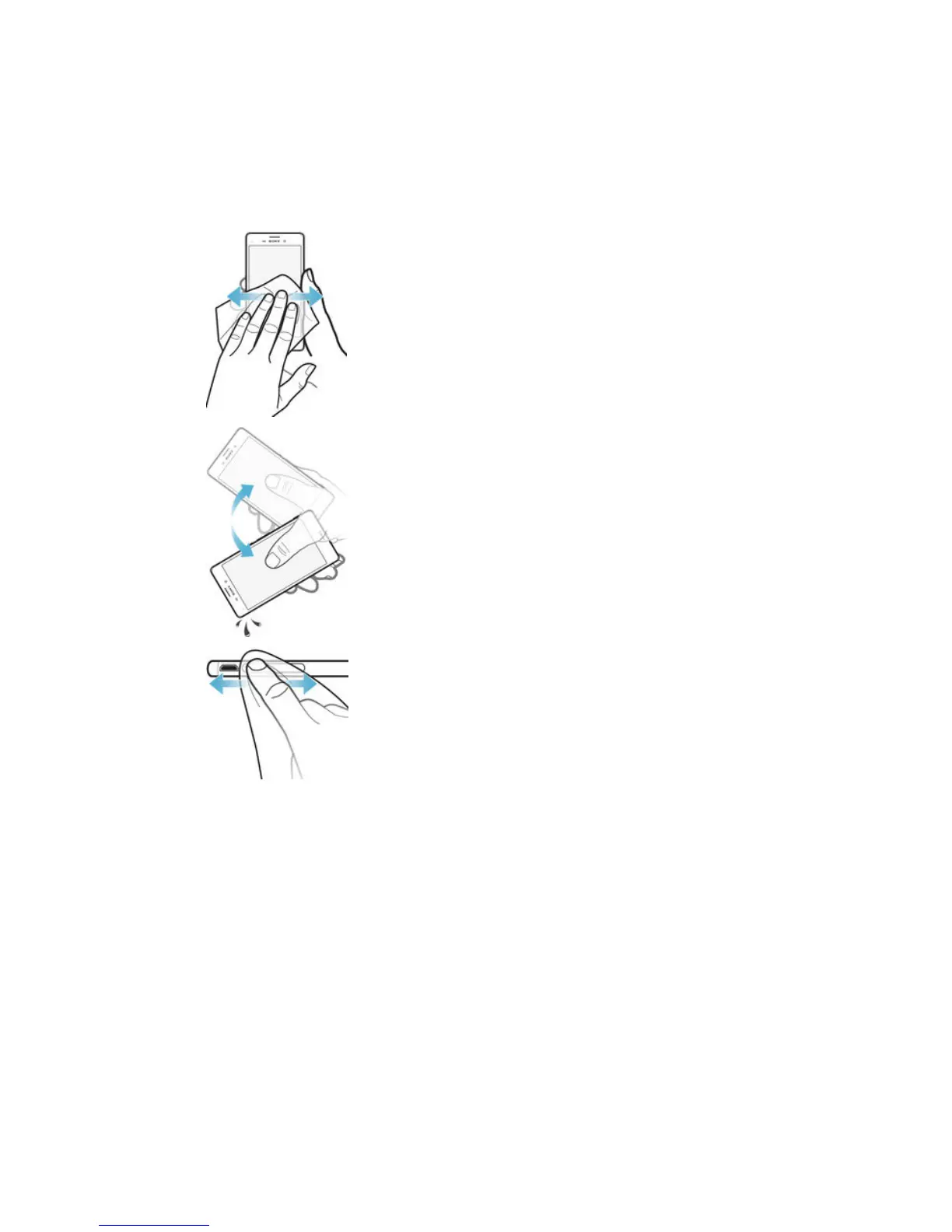
To dry the USB port
1
Using a microfiber cloth, wipe away any excess moisture from your device.
2
With the device held firmly and the USB port facing downward, shake the device
vigorously at least 15 times.
3
If moisture is still visible in the USB port, shake the device again several times.
4
Use a microfiber cloth to wipe away any remaining moisture from the USB port.
10
This is an Internet version of this publication. © Print only for private use.











 To Next Page