Sony Visual Products
3. Entering “Hotel/Pro settings mode”
Procedure
1. Power on BRAVIA. (when already powered on, you can skip.)
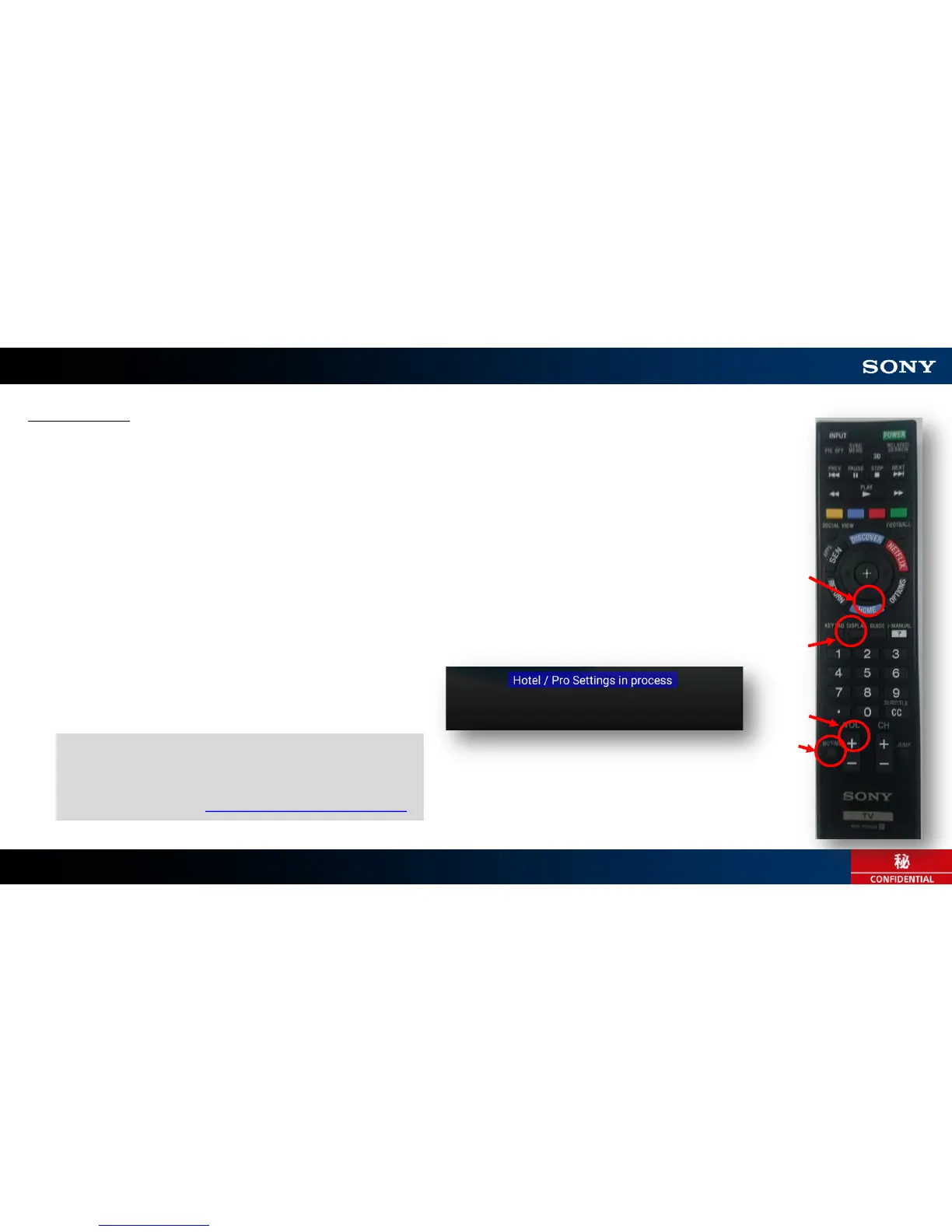
2. Press following keys on your remote continuously.
– “Display” ⇒ “MUTING” ⇒ “VOL+” ⇒ “HOME”
* each interval less than 1 sec.
– If it’s successful,
“Hotel / Pro Settings in process” banner will be shown without rebooting.
6
①
②
③
④
If you want to back to “normal mode”,
same key sequence is available.
* See for detail: Appendix: Mode Transition









 To Next Page