Help Guide
Portable Theatre System
HT-AX7
Making a Video Call on a Computer
During a video call on a computer, you can use the speaker system for wireless phone talking.
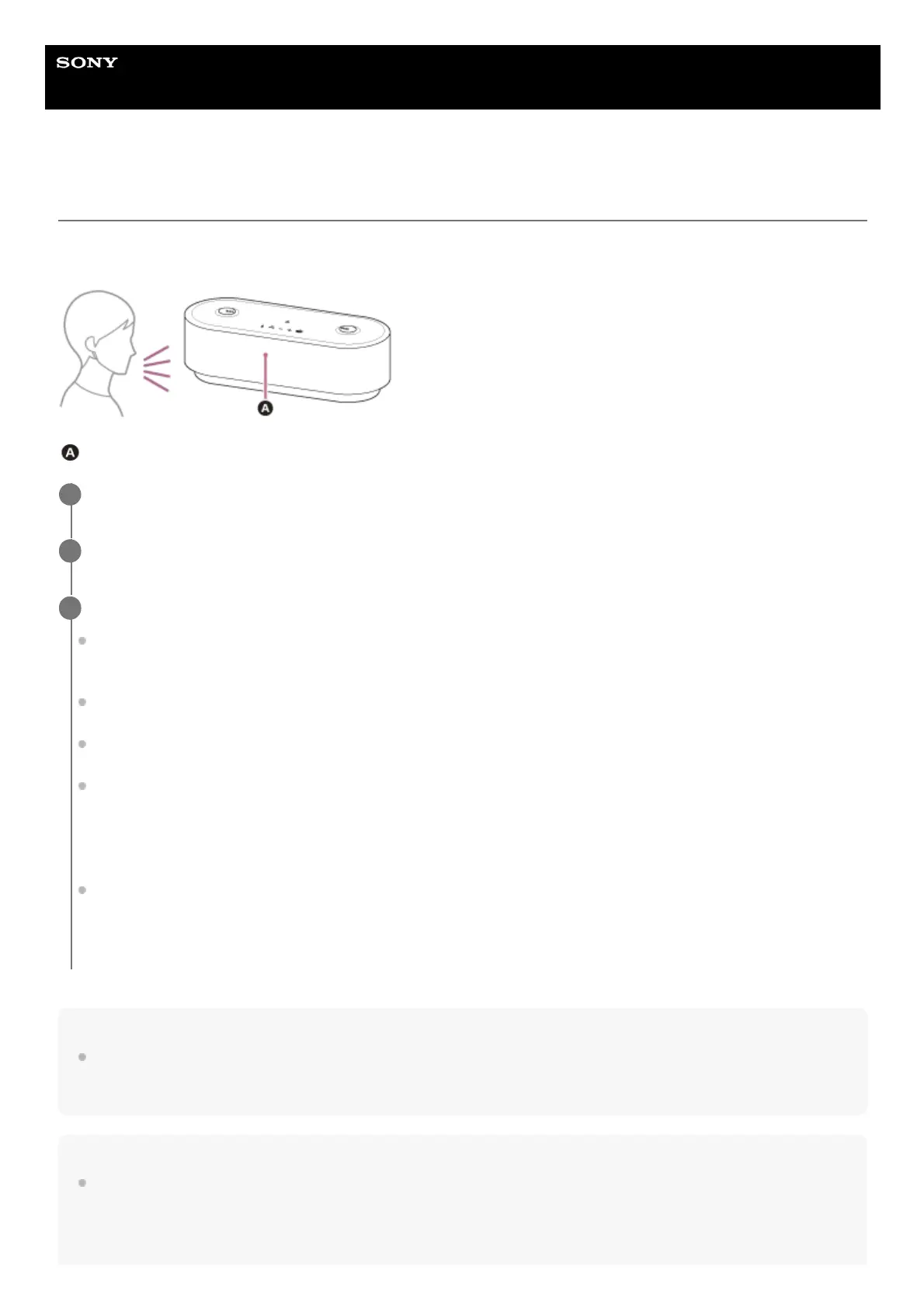
When making a video call, talk into the microphone of the front speaker.
Microphone
Note
When the speaker system is connected with a Mac computer and a smartphone in multipoint connection, the video call
application may fail to function properly. In such a case, terminate the BLUETOOTH connection between the speaker system and
the smartphone.
Hint
When you cannot view the settings of the video call application or select [Headset earphone (HT-AX7 Hands-Free)] or [Headset
microphone (HT-AX7 Hands-Free)], the BLUETOOTH profile for phone talking (HFP/HSP connection), select [Headset earphone
(HT-AX7 Hands-Free)] or [Headset microphone (HT-AX7 Hands-Free)] for the settings on the computer, and then establish a
connection. For details, refer to “Related Topic.”
Connect the speaker system with a computer via a BLUETOOTH connection.
1
Start up a video call application on the computer.
2
View the settings(*) of the video call application.
For video calls on the computer, select the BLUETOOTH profile not for music playback (A2DP connection) but for
phone talking (HFP/HSP connection). While the BLUETOOTH profile for music playback (A2DP connection) is
selected, phone talking may not be available.
For the speaker settings, select [Headset earphone (HT-AX7 Hands-Free)](**), the BLUETOOTH profile for phone
talking (HFP/HSP connection). ([Speakers (HT-AX7 Stereo)](**) is the BLUETOOTH profile for music playback.)
For the microphone settings, select [Headset microphone (HT-AX7 Hands-Free)](**), the BLUETOOTH profile for
phone talking (HFP/HSP connection).
Depending on your video call application, selection of [Headset earphone (HT-AX7 Hands-Free)](**) or [Headset
microphone (HT-AX7 Hands-Free)](**), the BLUETOOTH profile for phone talking (HFP/HSP connection), or
[Speakers HT-AX7 Stereo)](**), the BLUETOOTH profile for music playback (A2DP connection), may not be
available for the speaker or microphone settings, and only [HT-AX7] may be displayed. In such a case, select [HT-
AX7].
For frequently asked questions and the answers to them, visit the customer support website.
3
Depending on your video call application, this function may not be available.
*
Labels may vary depending on your computer or video call application.
**



 To Next Page