4
| _'t"ls'l_
5
Press ,I,/4, to select the setting.
• AUTO: When the TV is turned on while
the system is in standby mode. the
system outputs HDM[ signals
flom the system's HDMI output
jack. We recommend this setting
if you use a TV that is compatible
with "BRAVIA" Sync. This
setting saves power in standby
mode compared with the "ON"
setting.
• ON: When the system is in standby
mode. the system continuously
outputs HDM[ signals fiom the
system's HDMI output jack.
• When "AUTO" is selected, it may take a little
more time for the picture and sound to be output
to the TV than when "ON" is selected.
Press AMP MENU.
The AMP menu turns off.
3 Press '1"/4,repeatedly until "ARC"
appears, then press (_ or ->.
4 Press '1"/4,to select "OFF".
• ON: The ARC timction turns on.
• OFF: The ARC timction turns off.
5 Press AMP MENU.
The AMP menu turns off.
• When "CTRL HDMI" is set to "OFF," the ARC
fimction and its setting are not available.
ct_
O
"1"1
I'D
e-
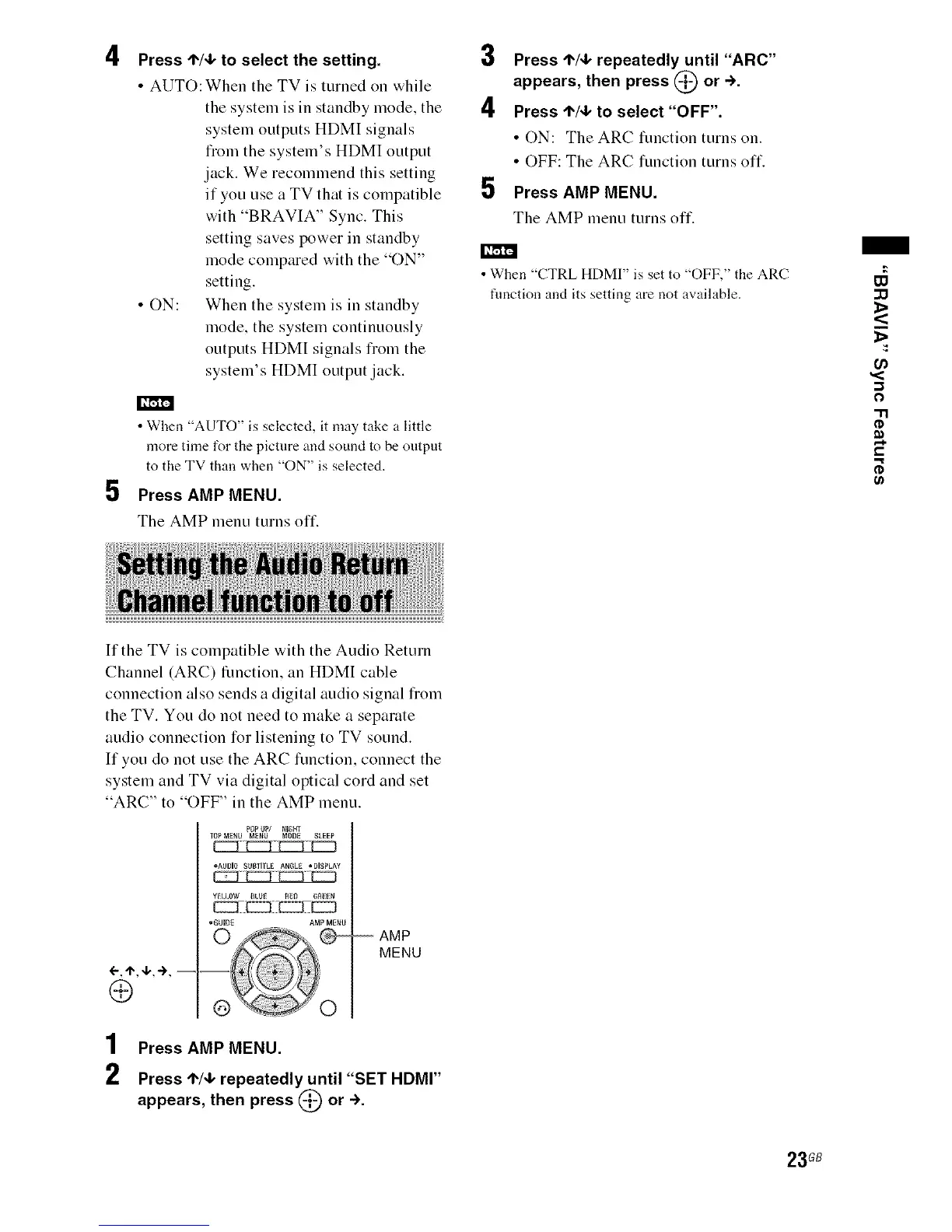
If the TV is compatible with the Audio Return
Channel (ARC) function, an HDMI cable
connection also sends a digital audio signal fiom
the TV. You do not need to make a separate
audio connection for listening to TV sound.
If you do not use the ARC timction, connect the
system and TV via digital optical cord and set
"ARC" to "OFF" in the AMP menu.
POPUP/ NIGHT
TOPMENU MENU MODE SLEEP
•AUDiO SUBTiTL_ANGLE°DISPLAY
•GUIDE AMP MENU
©
-- AMP
MENU
1 Press AMP MENU.
2 Press '1"/4,repeatedly until "SET HDMI"
appears, then press (_ or ->.
23GB



 To Next Page