Remote Button Remote Button
[] Number buttons [] THEATER
Function
Selects channels and tracks
directly.
For TV, press and hold []
TV (yellow), and press the
number buttons to select
channels.
For other components,
press and hold [] SHIFT,
and press the number
buttons to select channels
or tracks.
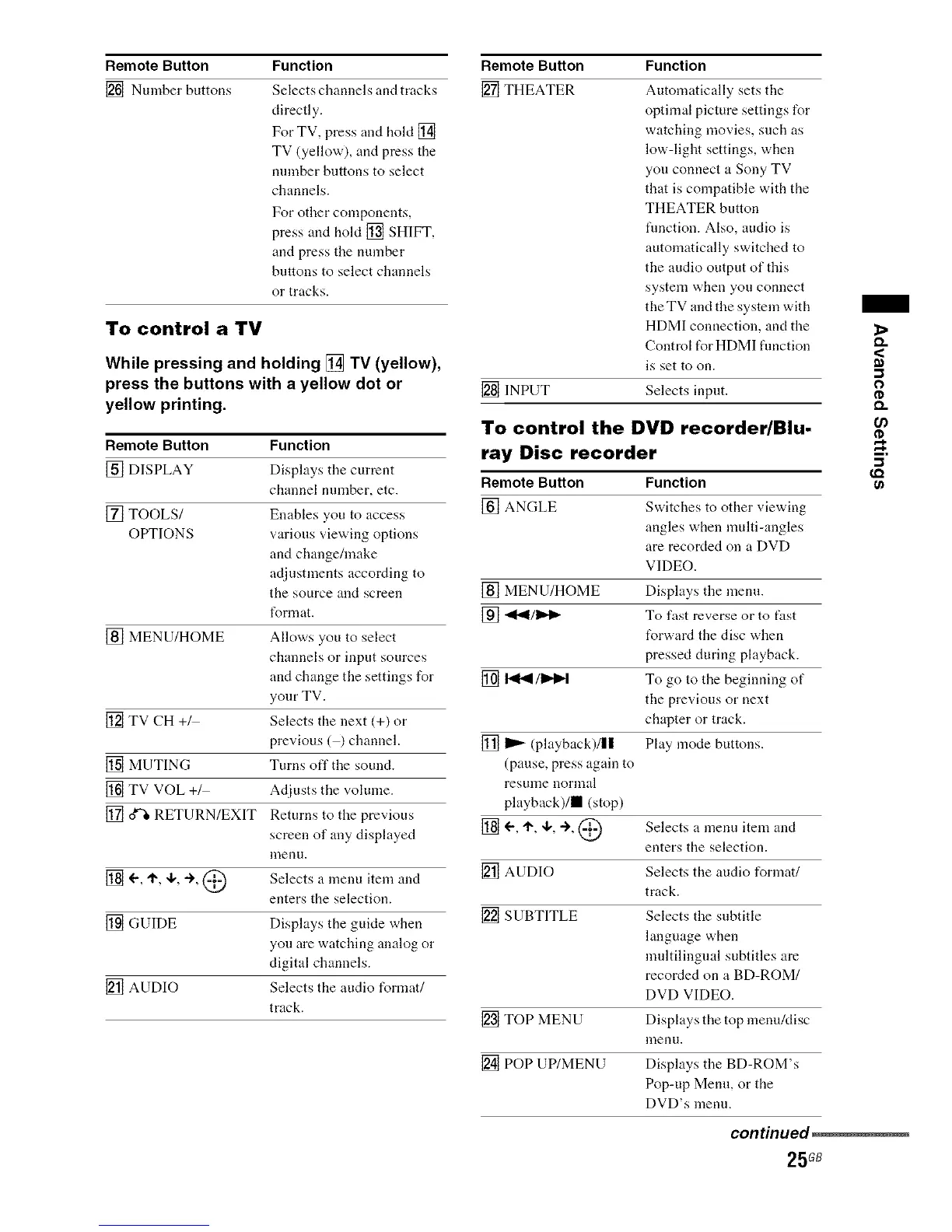
To control a TV
While pressing and holding [] TV (yellow),
press the buttons with a yellow dot or
yellow printing.
Remote Button Function
[] DISPLAY Displays the current
channel number, etc.
[] TOOLS/ Enables you to access
OtYI'IONS various viewing options
and change/make
adjustments according to
the source and screen
I_rmat.
[] MENU/HOME Allows you to select
channels or input sources
and change the settings for
your TV.
[] TV CH +_ Selects the next (+) or
previous (½ channel.
[] MUTING Turns off the sound.
[] TV VOL +_ Adjusts the volume.
[] _ RETURN/EXIT Returns to the previous
screen of any displayed
nlenu.
[] _', 'I_, 4,, -), @ Selects a menu item and
enters the selection.
[] GUIDE Displays the gukte when
you are watching analog or
digital channels.
[] AUDIO Selects the audio format/
track.
Function
Automatically sets the
optimal picture settings for
watching movies, such as
low-light settings, when
you connect a Sony TV
that is compatible with the
THEATER button
fimctiou. Also, audio is
automatically switched to
the audio output of this
system when you connect
the TV and the system with
HDMI connection, and the
Control t_r HDMI flmction
is set to on.
[] INPUT Selects input.
To control the DVD recorder/Blu-
ray Disc recorder
Remote Button Function
[] ANGLE Switches to other viewing
angles when multi-angles
are recorded on a DVD
VIDEO.
[] MENU/HOME Displays the menu.
[] "_l_l/_ To fast reverse or to fast
t_rward the disc when
pressed during playback.
[] I_'ql/1_1_1 To go to the beginning of
the previous or next
chapter or track.
[] _ (playback)/|| Play mode buttons.
(pause, press again to
resulne norlnal
playback)/m (stop)
[] _', '1", ,1,, ÷, @ Selects a menu item and
enters the selection.
[] AUDIO Selects the audio format/
track.
[] SUBTITLE Selects the subtitle
language when
multiliugual subtitles are
recorded on a BD-ROM/
DVD VIDEO.
[] TOP MENU Displays the top menuMisc
menu.
[] POP UP/MENU Displays the BD-ROM's
Pop-up Menu, or the
DVD's menu.
<
m
o
¢D
Q.
U)
€.Q
continued_
25GB



 To Next Page