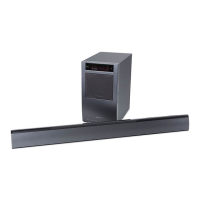
Installing
the
speaker
on
the
TV
stand
You can install the speaker with the following TV models (not supplied):
• XBR-40/46LX900, KDL-46NX800, KDL-40/46NX700, KDL-40/46HX800, KDL-40/46EX71
0,
KDL-40/46EX70D, KDL-40/46EX600
*
In
the actual model names, the
"0"
indicates numbers and/or characters specific to each model.
Although the shape
of
the TV stand base differs depending on the TV model, you can install the speaker
on
the TV stand following this procedure.
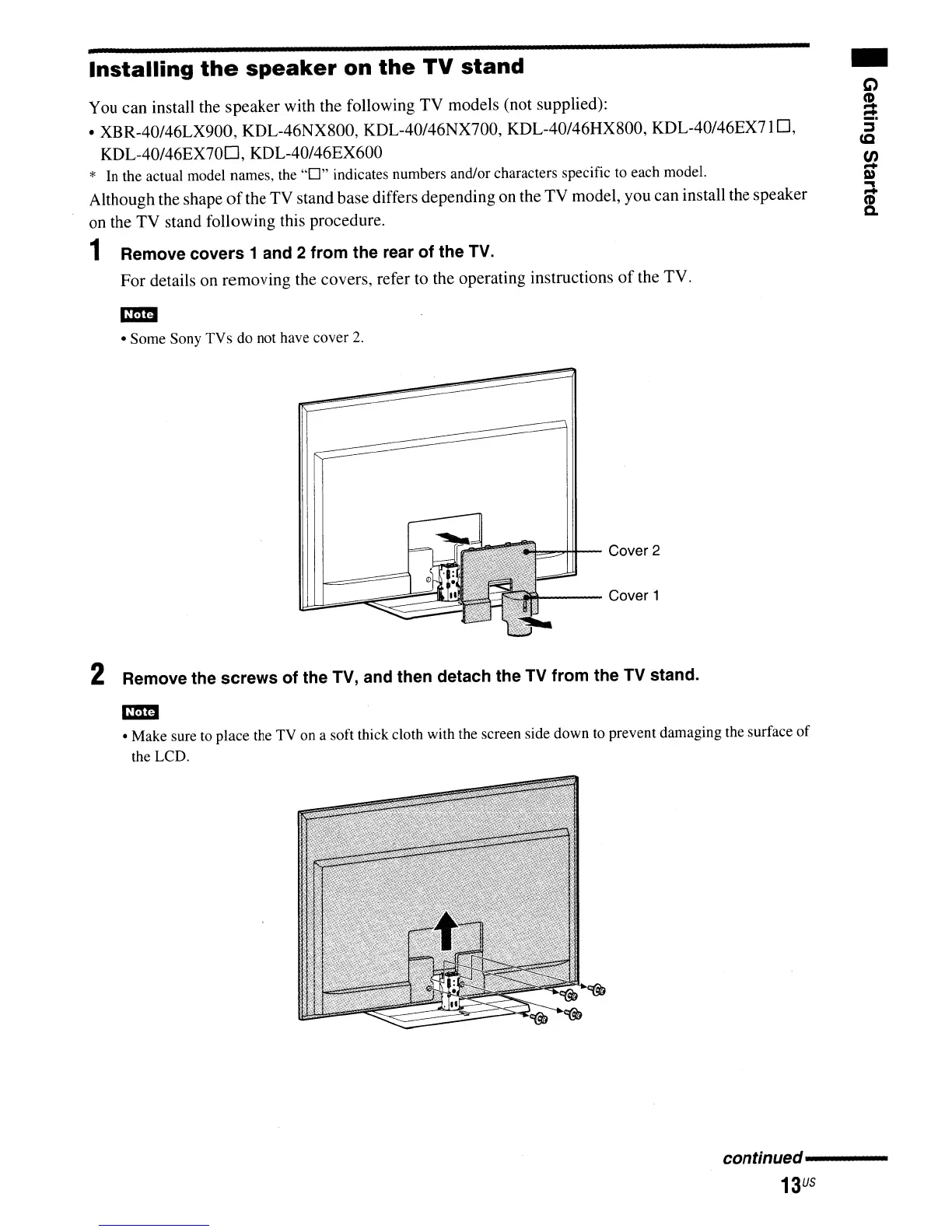
1 Remove covers 1 and 2 from the rear of the TV.
For details on removing the covers, refer to the operating instructions
of
the TV.
• Some Sony TVs do not have cover
2.
""....,,,.,Hf--
Cover 2
"t---
Cover 1
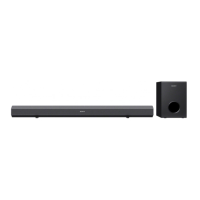
2 Remove the screws of the TV, and then detach the TV from the TV stand.
• Make sure to place the TV on a soft thick cloth with the screen side down to prevent damaging the surface
of
the LCD.
continued----
13
US


 To Next Page