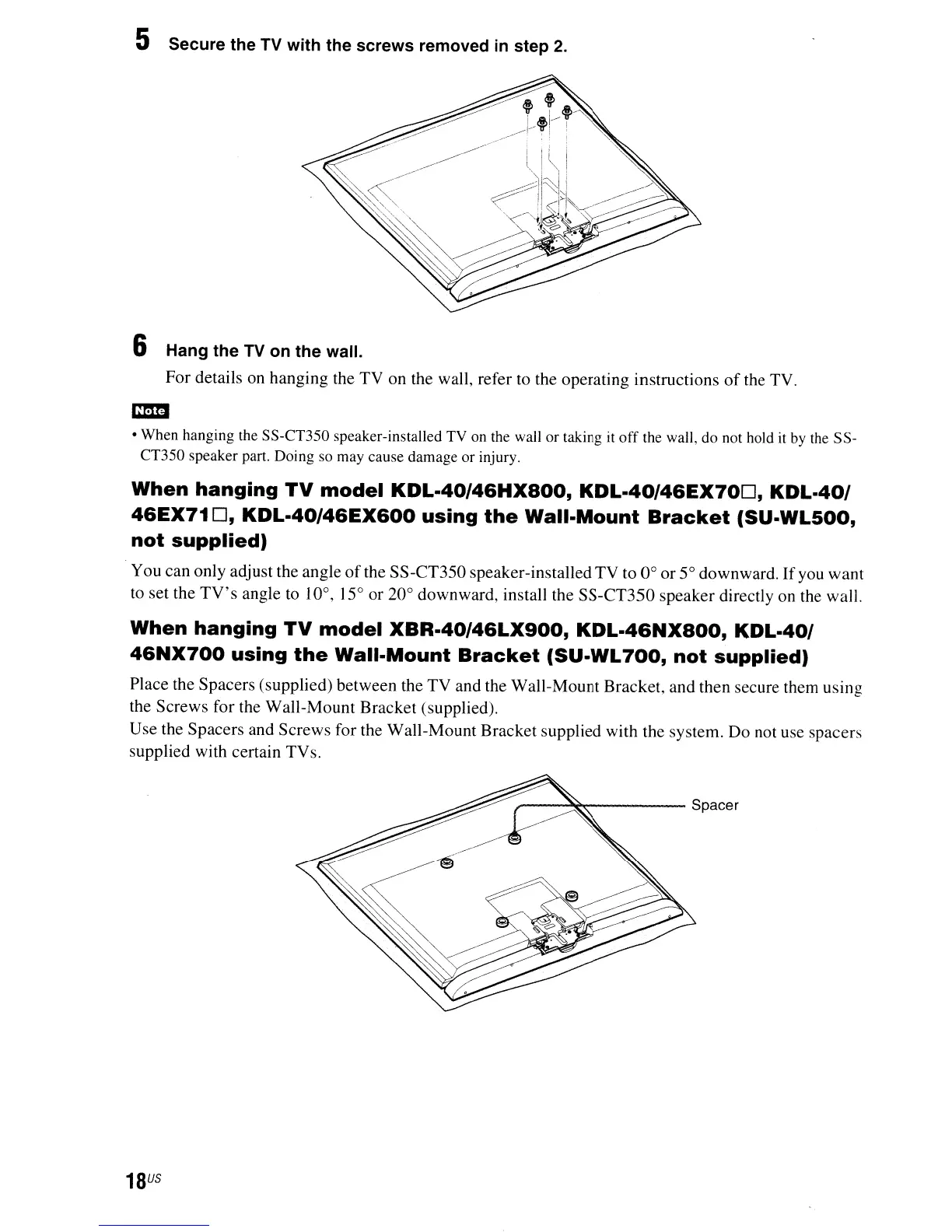
5 Secure the TV with the screws removed
in
step
2.
6 Hang the TV on the wall.
For details on hanging the TV on the wall, refer to the operating instructions
of
the TV.
CD
• When hanging the SS-CT350 speaker-installed TV on the wall or taking
it
off
the wall, do not hold it
by
the SS-
CT350 speaker part. Doing so may cause damage or injury.
When
hanging
TV
model
KDL.40/46HXBOO,
KDL.40/46EX70D,
KDL-40/
46EX71
D,
KDL-40/46EX600
using
the
Wall-Mount
Bracket
(SU-WL500,
not
supplied)
You can only adjust the angle
of
the SS-CT350 speaker-installed TV to 0
0
or
50
downward.
If
you
want
to set the
TV's
angle to 10
0
, J
50
or
20
0
downward, install the SS-CT350 speaker directly on the wall.
When
hanging
TV
model
XBR-40/46LX900,
KDL-46NXBOO,
KDL-40/
46NX700
using
the
Wall-Mount
Bracket
(SU-WL
700,
not
supplied)
Place the Spacers (supplied) between the
TV
and the Wall-Mount Bracket, and then secure them using
the Screws for the Wall-Mount Bracket (supplied).
Use the Spacers and Screws for the Wall-Mount Bracket supplied with the system. Do not use spacers
supplied with certain TV
s.
r--~~----
Spacer
18
US


 To Next Page