38
Installation
For the SDI board (for HVR-1500)
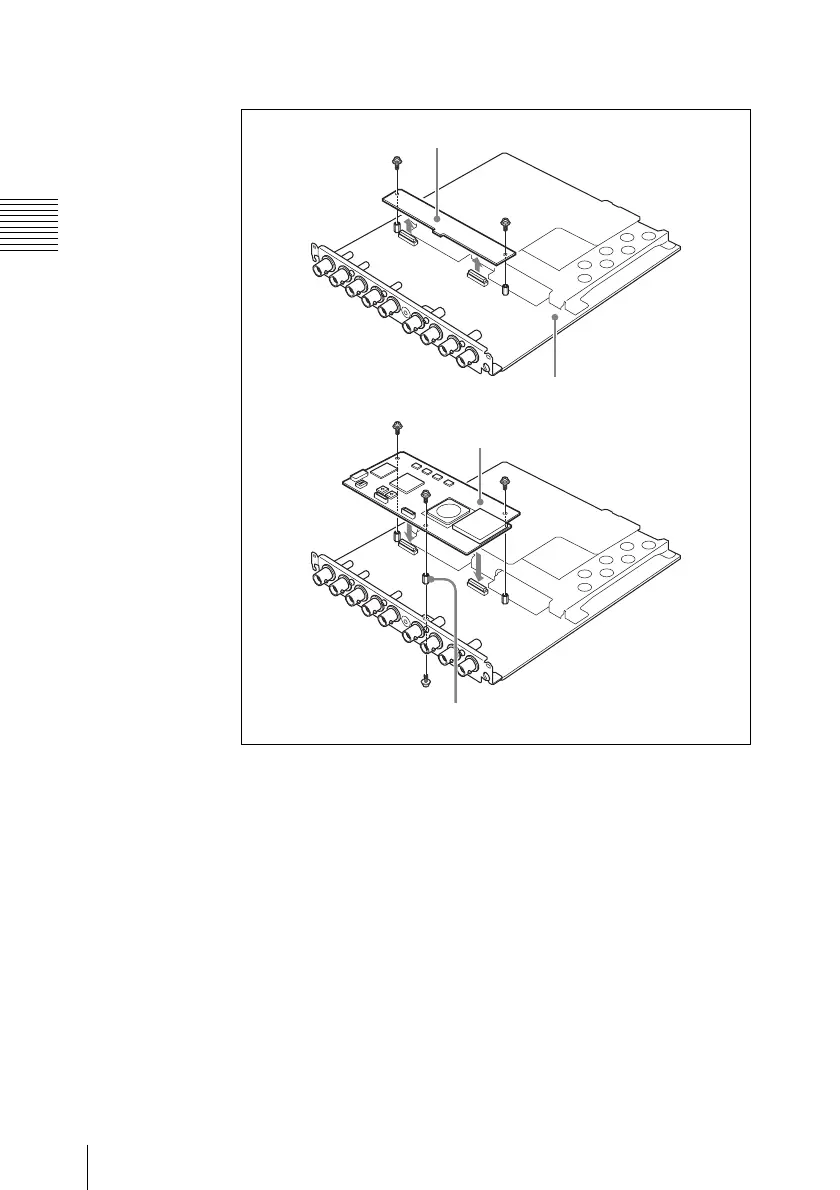
1 Remove the two screws, and remove the CN-2905 board.
2 Attach the supplied hexagonal pillar, using the supplied screw
(+PSW 2 × 5) from the underside of the motherboard.
3 Mount this board in the position from which you removed the
CN-2905 board in step 1, so that the connectors on the underside of
this board engage with the connectors on the SDI board.
4 Fix this board with the three supplied screws (+PSW 2 × 5).
SDI board
CN-2905 board
Hexagonal pillar
This board



 To Next Page