List of default setting values
The following are the default setting values.
To reset settings to the default values
Select MENU → (Setup) → [Setting Reset] → [Camera Settings Reset] or [Initialize] →
[OK].
The type of items that can be reset are limited. See the following tables. If you select [Initialize],
all the settings of the camera will be reset to the default values.
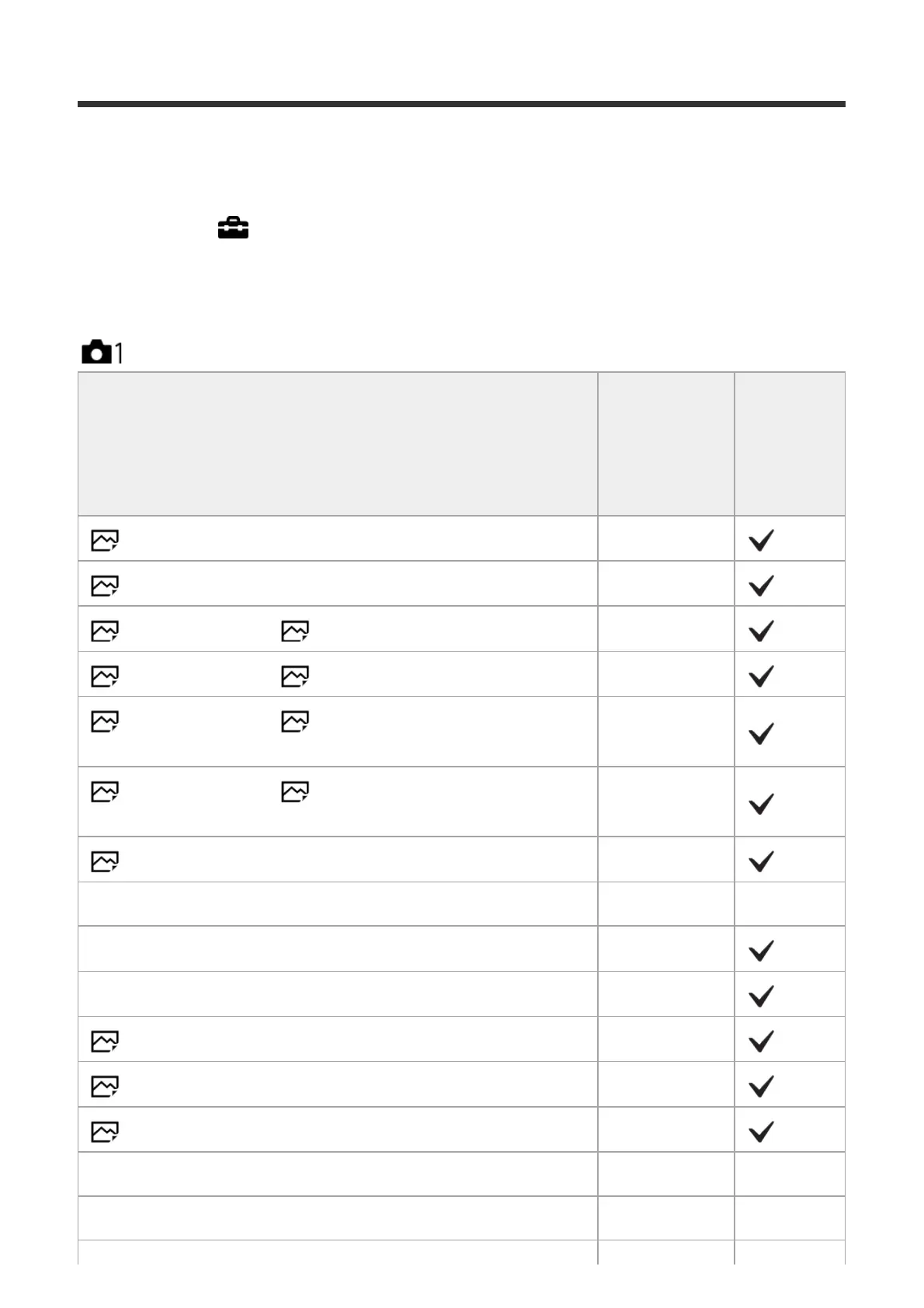
Camera Settings1
MENU items
Default
setting value
Resettable
using
[Camera
Settings
Reset]
Quality Fine
RAW File Type Compressed
Image Size (when [ Aspect Ratio] is set to [3:2]) L: 42M
Image Size (when [ Aspect Ratio] is set to [16:9]) L: 36M
Image Size (when [ Aspect Ratio] is set to [3:2], and
[APS-C/Super 35mm] is set to [On])
L: 18M
Image Size (when [ Aspect Ratio] is set to [16:9], and
[APS-C/Super 35mm] is set to [On])
L: 15M
Aspect Ratio 3:2
APS-C/Super 35mm Auto ―
Panorama: Size Standard
Panorama: Direction Right
Long Exposure NR On
High ISO NR Normal
Color Space sRGB
Lens Comp. (Shading Comp.) Auto ―
Lens Comp. (Chro. Aber. Comp.) Auto ―



 To Next Page