30
GB
Table of
contents
Sample photo Menu Index
A portion of a still image can be enlarged during playback. This is convenient to check
the focus condition of a recorded still image. You can enlarge playback images from the
menu (page 102).
• You cannot use the enlarged playback function with movies.
• To enlarge panoramic images, pause the playback first, and then press (Enlarge Image).
Enlarged playback
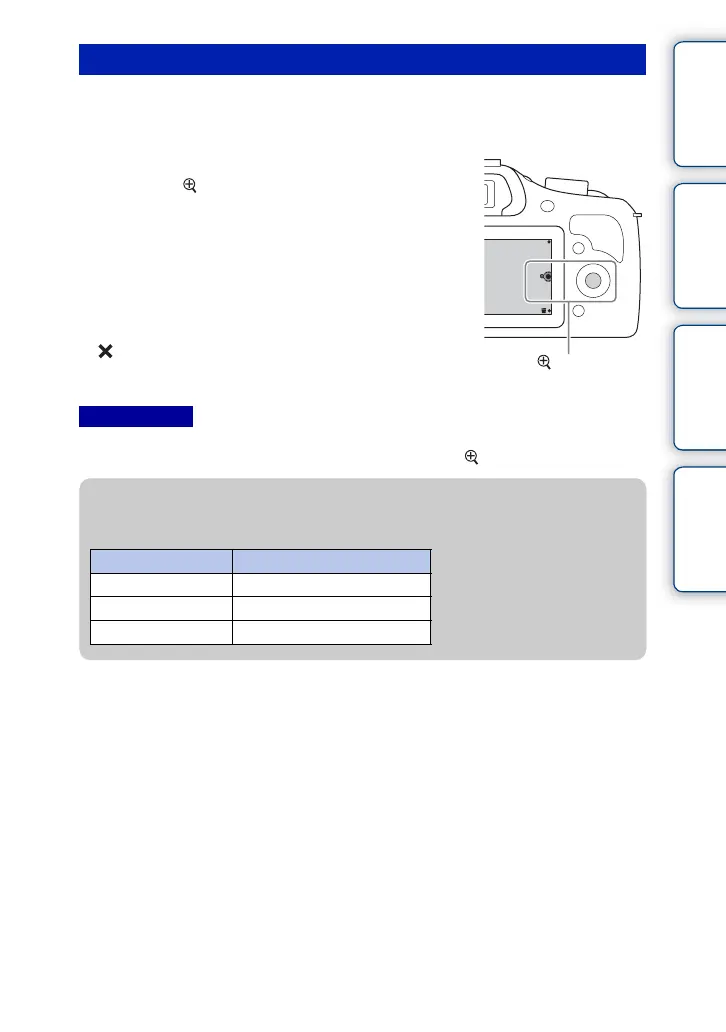
1 Display the image you want to enlarge and
then select (Enlarge Image).
2 Adjust the scaling by turning the control
wheel.
3 Select the portion you want to enlarge by
pressing the top/bottom/right/left of the
control wheel.
4 To cancel the enlarged playback, select
.
Notes
(Enlarge Image)
z Scaling range
The scaling range is as follows.
Image size Scaling range
L Approx. ×1.0 – ×15.1
M Approx. ×1.0 – ×10.7
S Approx. ×1.0 – ×7.6



 To Next Page