This document provides operating instructions for a range of Sony Trinitron Color TV models, including KV-13EXR90, KV-13EXR91, KV-13TR27, KV-13TR24, KV-13TR14, and KV-1427R. It covers setup, operation, and maintenance, ensuring users can maximize their viewing experience.
Function Description
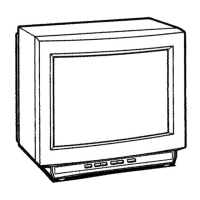
The Sony Trinitron Color TV is a multi-band television receiver designed to display broadcast programs and external video sources. It features a Mirrorblack™ Trinitron picture tube, known for its high resolution and contrast, delivering clear and vibrant images. The built-in tuner supports VHF, UHF, and CATV bands, capable of receiving up to 125 cable channels, totaling 181 possible off-air and cable channels.
For enhanced connectivity, certain models (KV-13EXR90, 13EXR91, 13TR24, 13TR27) include video input jacks, allowing users to connect VCRs or other video equipment for better picture quality. Additionally, the KV-13EXR90 and 13EXR91 models feature variable audio output jacks, enabling the TV's sound to be routed through an external audio system, providing a more immersive audio experience.
On-screen displays provide visual feedback for various settings and operations, such as channel number, "MUTING" or "SLEEP" indications, "VIDEO" mode, MTS (Multichannel TV Sound) status, "AUTO PROGRAM," "TIMER," or "TIMER BLOCK" status, and bar displays for volume or picture adjustments.
Usage Features
The TV comes with a supplied Remote Commander, which offers a wide array of convenient features for ease of use.
- Program Start Timer/Channel Block: This feature allows users to automatically start a program at a desired time or block specific channels for a set duration (12 hours), useful for parental control. The internal clock must be set correctly for these functions to operate.
- Sleep Timer: The sleep timer automatically turns off the TV after approximately one hour, a convenient feature for users who fall asleep while watching.
- Automatic Programming: The TV can automatically preset all receivable channels instantly, simplifying the initial setup process.
- Jump Button: This allows quick switching between two previously viewed channels, making it easy to follow two programs alternately.
- Dynamic Color™ System: This system enhances color reproduction, providing natural facial tones and dazzling whites.
- Dynamic Picture™ System: This feature automatically adjusts picture contrast to reveal more detail in both bright and dark areas of a scene.
- Picture Adjustment: Users can fine-tune picture settings such as HUE, COLOR, BRIGHTNESS, and SHARPNESS using the Remote Commander. A RESET button is available to restore factory preset levels.
- Muting: The MUTING button instantly silences the TV, with a "MUTING" indication appearing on screen. Pressing it again or adjusting the volume restores the sound.
- Channel Display: The DISPLAY button toggles the on-screen channel number display.
- Multichannel TV Sound (MTS): For models KV-13EXR90 and 13EXR91, the MTS button allows selection between MAIN (stereo), SAP (Second Audio Program), and MONO modes, enhancing the audio experience for compatible broadcasts.
- Swivel Function: Models KV-13EXR90 and 13EXR91 include a swivel base, allowing the TV to be adjusted by 15 degrees in each direction for optimal viewing angles.
- Connecting Optional Equipment: Detailed instructions are provided for connecting VCRs and external audio systems. When an audio system is connected, the TV's internal speakers can be turned off via a switch at the rear of the unit.
Maintenance Features
The manual emphasizes several aspects of maintenance to ensure the longevity and safe operation of the TV.
- Safety Precautions: Users are advised to operate the unit only on 120 V AC and to ensure proper plug insertion into outlets. In case of liquid or solid objects falling into the cabinet, the unit should be unplugged and checked by qualified personnel. The TV should be unplugged if not used for several days.
- Installation Guidelines: To prevent internal heat build-up, ventilation openings should not be blocked. The unit should not be installed in hot, humid, dusty, or vibrating environments.
- Cleaning: The TV should be cleaned with a slightly damp, soft cloth and a mild household detergent. Strong solvents like thinner or benzine should be avoided as they can damage the cabinet finish.
- Repacking: Users are encouraged to retain the original carton and packing materials for safe transport of the unit in the future.
- Troubleshooting Guide: A comprehensive troubleshooting section helps users diagnose and resolve common issues related to picture, sound, color, signal reception, and timer/block functions. It provides practical steps such as adjusting picture settings, checking connections, and verifying power status. If problems persist, users are directed to contact their nearest Sony dealer.
- Battery Replacement: Instructions for installing and replacing batteries in the Remote Commander are provided, along with advice to remove batteries if the commander will not be used for a long time to prevent leakage.

 Need help?
 General







 To Next Page