EasyManua.ls Logo

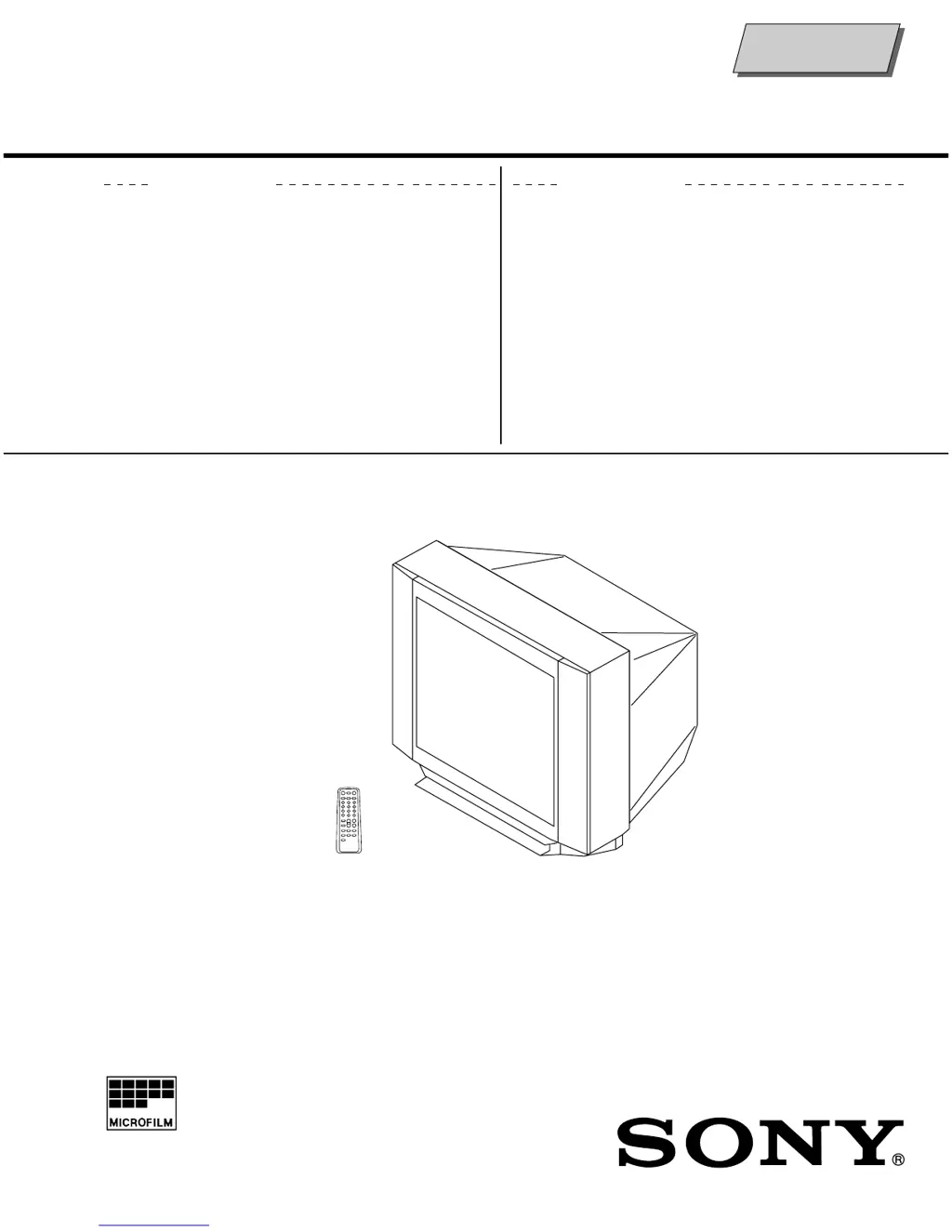
Sony KV-2199XFJ Trinitron - User Manual

Sony KV-2199XFJ Trinitron
46 pages
Print Icon
To Next Page IconTo Next Page
Loading...
MODEL COMMANDER DEST. CHASSIS NO.
KV-2199XF
RM-952 ME SCC-U16N-A
KV-2199XFJ
RM-952 ME SCC-U16K-A
MODEL COMMANDER DEST. CHASSIS NO.
CHASSIS
TRINITRON
®
COLOR TV
SERVICE MANUAL
BG-3S
Self Diagnosis
Supported model

Questions and Answers

Summary

SPECIFICATIONS

SELF DIAGNOSTIC FUNCTION

DIAGNOSTIC TEST INDICATORS

Lists diagnostic items, number of flashes, probable causes, and detected symptoms.

DISPLAY OF STANDBY;TIMER LIGHT FLASH COUNT

Illustrates the timing and counts for the standby/timer lamp flashes.

STOPPING THE STANDBY;TIMER FLASH

Instructions to stop the blinking standby/timer lamp after troubleshooting.

SELF-DIAGNOSIS SCREEN DISPLAY

How to display past error occurrences on the screen via remote commands.

HANDLING OF SELF-DIAGNOSTIC SCREEN DISPLAY

Procedures for clearing diagnostic results and quitting the self-diagnosis screen.

SELF-DIAGNOSTIC CIRCUIT

Explanation of circuit functions related to self-diagnostic error codes.

DISASSEMBLY

2-1. REAR COVER REMOVAL

Procedure for removing the rear cover of the TV unit.

2-2. CHASSIS ASSY REMOVAL

Steps for removing the main chassis assembly from the TV.

2-3. F BRACKET REMOVAL

Instructions for removing the F bracket component.

2-4. SERVICE POSITION

Guidance on placing the TV in a suitable position for service.

2-5. REPLACEMENT OF PARTS

General guidance on replacing internal components.

2-6. TERMINAL BRACKET REMOVAL

Steps for removing the terminal board bracket.

2-7. DEGAUSS COIL REMOVAL

Instructions for removing the degauss coil.

2-8. PICTURE TUBE REMOVAL

Procedure for safely removing the picture tube, including anode cap handling.

SET-UP ADJUSTMENTS

3-1. BEAM LANDING

Procedure for adjusting the beam landing for optimal picture alignment.

3-2. CONVERGENCE

Steps for adjusting the convergence of red, green, and blue electron beams.

3-3. FOCUS ADJUSTMENT

How to adjust the focus control on the flyback transformer for a sharp image.

3-4. G2 (SCREEN) AND WHITE BALANCE ADJUSTMENTS

Adjusting screen grid voltage and white balance for correct color reproduction.

3-5. SUB BRIGHT ADJUSTMENT

Procedure for fine-tuning the sub brightness level for optimal picture contrast.

CIRCUIT ADJUSTMENTS

4-1. ADJUSTMENTS WITH COMMANDER

Guide to entering service mode and performing adjustments using the RM-952 remote.

4-2. ADJUSTMENT METHOD

General explanation of how to adjust various parameters using the service remote.

4-3. PICTURE QUALITY ADJUSTMENTS

Adjustments for sub color and sub hue to optimize picture quality.

4-4. A BOARD ADJUSTMENT AFTER IC003 (MEMORY) REPLACEMENT

Steps for initializing and adjusting A board after memory IC replacement.

4-5. PICTURE DISTORTION ADJUSTMENT

Adjusting various picture distortion parameters like H/V position and size.

DIAGRAMS

5-1. BLOCK DIAGRAM

Overview of the TV's main functional blocks and signal flow.

5-2. FRAME SCHEMATIC DIAGRAM

Detailed schematic diagram of the TV's frame circuitry.

5-3. CIRCUIT BOARDS LOCATION

Diagrams showing the physical location of various circuit boards within the TV.

5-4. SCHEMATIC DIAGRAMS AND PRINTED WIRING BOARDS

Collection of schematic diagrams and printed wiring board layouts.

5-5. SEMICONDUCTORS

List of semiconductors used in the TV, with their part numbers and types.

EXPLODED VIEW

6-1. CHASSIS

Exploded view of the TV chassis, showing component identification and part numbers.

ELECTRICAL PARTS LIST

Summary

SPECIFICATIONS

SELF DIAGNOSTIC FUNCTION

DIAGNOSTIC TEST INDICATORS

Lists diagnostic items, number of flashes, probable causes, and detected symptoms.

DISPLAY OF STANDBY;TIMER LIGHT FLASH COUNT

Illustrates the timing and counts for the standby/timer lamp flashes.

STOPPING THE STANDBY;TIMER FLASH

Instructions to stop the blinking standby/timer lamp after troubleshooting.

SELF-DIAGNOSIS SCREEN DISPLAY

How to display past error occurrences on the screen via remote commands.

HANDLING OF SELF-DIAGNOSTIC SCREEN DISPLAY

Procedures for clearing diagnostic results and quitting the self-diagnosis screen.

SELF-DIAGNOSTIC CIRCUIT

Explanation of circuit functions related to self-diagnostic error codes.

DISASSEMBLY

2-1. REAR COVER REMOVAL

Procedure for removing the rear cover of the TV unit.

2-2. CHASSIS ASSY REMOVAL

Steps for removing the main chassis assembly from the TV.

2-3. F BRACKET REMOVAL

Instructions for removing the F bracket component.

2-4. SERVICE POSITION

Guidance on placing the TV in a suitable position for service.

2-5. REPLACEMENT OF PARTS

General guidance on replacing internal components.

2-6. TERMINAL BRACKET REMOVAL

Steps for removing the terminal board bracket.

2-7. DEGAUSS COIL REMOVAL

Instructions for removing the degauss coil.

2-8. PICTURE TUBE REMOVAL

Procedure for safely removing the picture tube, including anode cap handling.

SET-UP ADJUSTMENTS

3-1. BEAM LANDING

Procedure for adjusting the beam landing for optimal picture alignment.

3-2. CONVERGENCE

Steps for adjusting the convergence of red, green, and blue electron beams.

3-3. FOCUS ADJUSTMENT

How to adjust the focus control on the flyback transformer for a sharp image.

3-4. G2 (SCREEN) AND WHITE BALANCE ADJUSTMENTS

Adjusting screen grid voltage and white balance for correct color reproduction.

3-5. SUB BRIGHT ADJUSTMENT

Procedure for fine-tuning the sub brightness level for optimal picture contrast.

CIRCUIT ADJUSTMENTS

4-1. ADJUSTMENTS WITH COMMANDER

Guide to entering service mode and performing adjustments using the RM-952 remote.

4-2. ADJUSTMENT METHOD

General explanation of how to adjust various parameters using the service remote.

4-3. PICTURE QUALITY ADJUSTMENTS

Adjustments for sub color and sub hue to optimize picture quality.

4-4. A BOARD ADJUSTMENT AFTER IC003 (MEMORY) REPLACEMENT

Steps for initializing and adjusting A board after memory IC replacement.

4-5. PICTURE DISTORTION ADJUSTMENT

Adjusting various picture distortion parameters like H/V position and size.

DIAGRAMS

5-1. BLOCK DIAGRAM

Overview of the TV's main functional blocks and signal flow.

5-2. FRAME SCHEMATIC DIAGRAM

Detailed schematic diagram of the TV's frame circuitry.

5-3. CIRCUIT BOARDS LOCATION

Diagrams showing the physical location of various circuit boards within the TV.

5-4. SCHEMATIC DIAGRAMS AND PRINTED WIRING BOARDS

Collection of schematic diagrams and printed wiring board layouts.

5-5. SEMICONDUCTORS

List of semiconductors used in the TV, with their part numbers and types.

EXPLODED VIEW

6-1. CHASSIS

Exploded view of the TV chassis, showing component identification and part numbers.

ELECTRICAL PARTS LIST

Sony KV-2199XFJ Trinitron Specifications

General IconGeneral
BrandSony
ModelKV-2199XFJ Trinitron
CategoryTV
LanguageEnglish

Related product manuals