26
GB
3 Press ENTER.
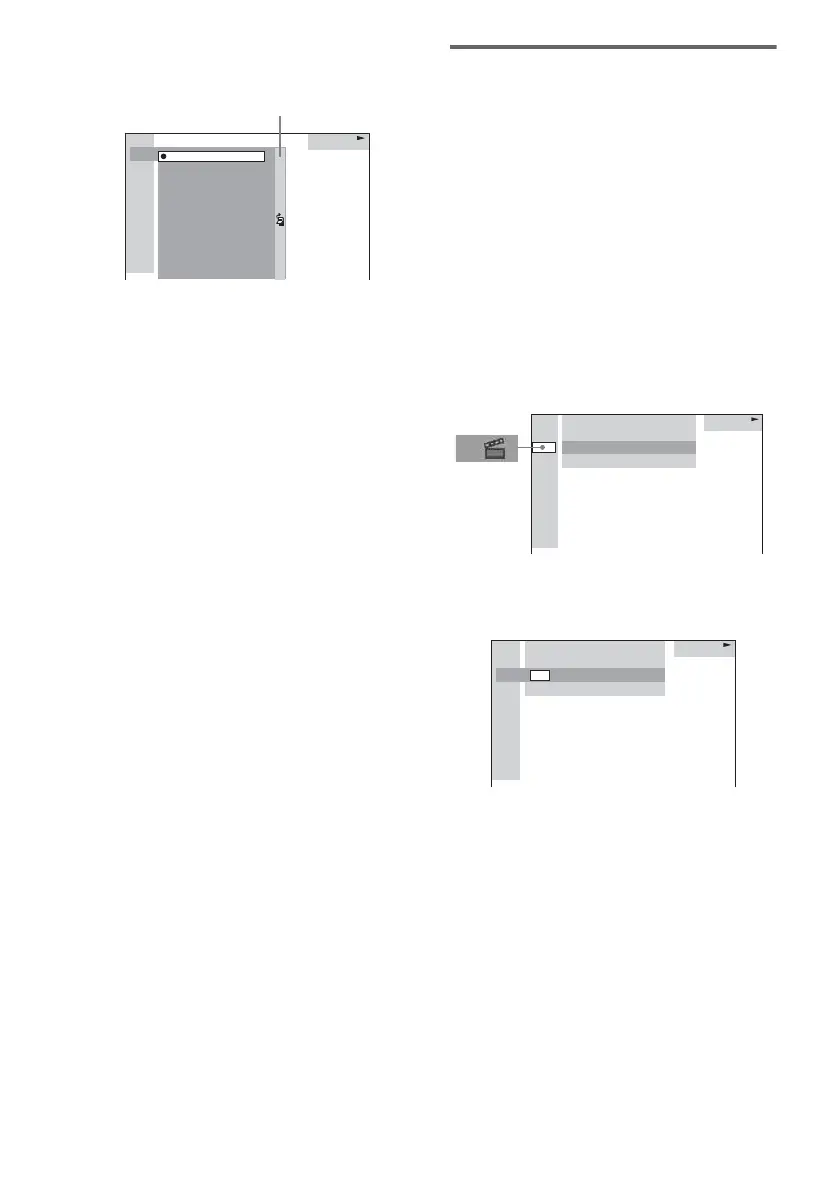
The list of contents in the disc appears.
When the list of the contents cannot be
displayed on the window, the jump bar
appears. Press , to select the jump bar
icon, and then scroll the jump bar to display
the rest of the list using M or m. Press < or
O RETURN to return to the list of the
contents.
4 Press M or m repeatedly to select the
title, track, album or file you want, then
press ENTER.
The system starts playback from the
selected title, track, album or file.
Searching for a chapter/index
1 Press DVD DISPLAY.
The Control Menu appears on the on-screen
display.
2 Press M or m repeatedly to select the
search method.
x When playing a DVD
“CHAPTER”
x
When playing a VIDEO CD without
PBC function
“INDEX”
“**(**)” is selected (** refers to a number).
The number in parentheses indicates the
total number of chapters or indexes.
3 Press ENTER.
“**(**)” changes to “– –(**)”.
4 Press M or m repeatedly, or press the
numeric buttons to select the chapter
or index number you want to search.
If you make a mistake, press CLEAR to
cancel the number, then select another
number.
5 Press ENTER.
The playback starts from the selected
number.
CD
11:
2:
3:
4:
5:
6:
10:
9:
8:
7:
HIGHWAY1:
CD1:
STANDARD
VIEW POINT
MY CHILDREN
DANCING
GOOD TASTE
DESTINATION
PORT TOWER
TAKE IT EASY
PLACE-KICK
MARATHON
Jump bar
DVD
1: DVD
1 2
(
2 7
)
MAKING SCENE
1 8
(
3 4
)
T
1 : 3 2 : 5 5
DVD
1: DVD
1 2
(
2 7
)
MAKING SCENE
T
1 : 3 2 : 5 5
– –
(
3 4
)



 To Next Page