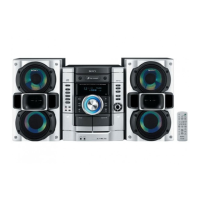
Use bullons on the trail lk_r1he operation.
1 Press _--.
2 Place a disc with the label side up on
the disc tray.
To insert additional discs, press DISC
SKIP/EX=CHANGE to rotate the disc tray.
3 Press ,6, again to close the disc tray.
Notes
• Do not use a disc _ith tape, seals or paste on it _Jsthis
may cause real[unction.
• Do not forcibly press the disc tray closed with your
finger, as this may cause malfunction.
-- Normal Play/Shuffle Play
This system lets you play audio CDs. CD=Gs*
and discs with MP3 audio tracks.
* CD-Gs (CD-Graphics) can only be played on
Mexican model.
You can enjoy the video im iges recorded on CD-Gs
by connecting the system to a TV (see step 4 of
'Hooking up the system" (page 6)).
Example: When a disc is loaded
Disc tray number Track number
Disc presence indicator Playing time
,4
! Press CD (or FUNCTION repeatedly) to
switch the function to CD.
10 GB


 To Next Page
 Loading...