MHC-V5
11
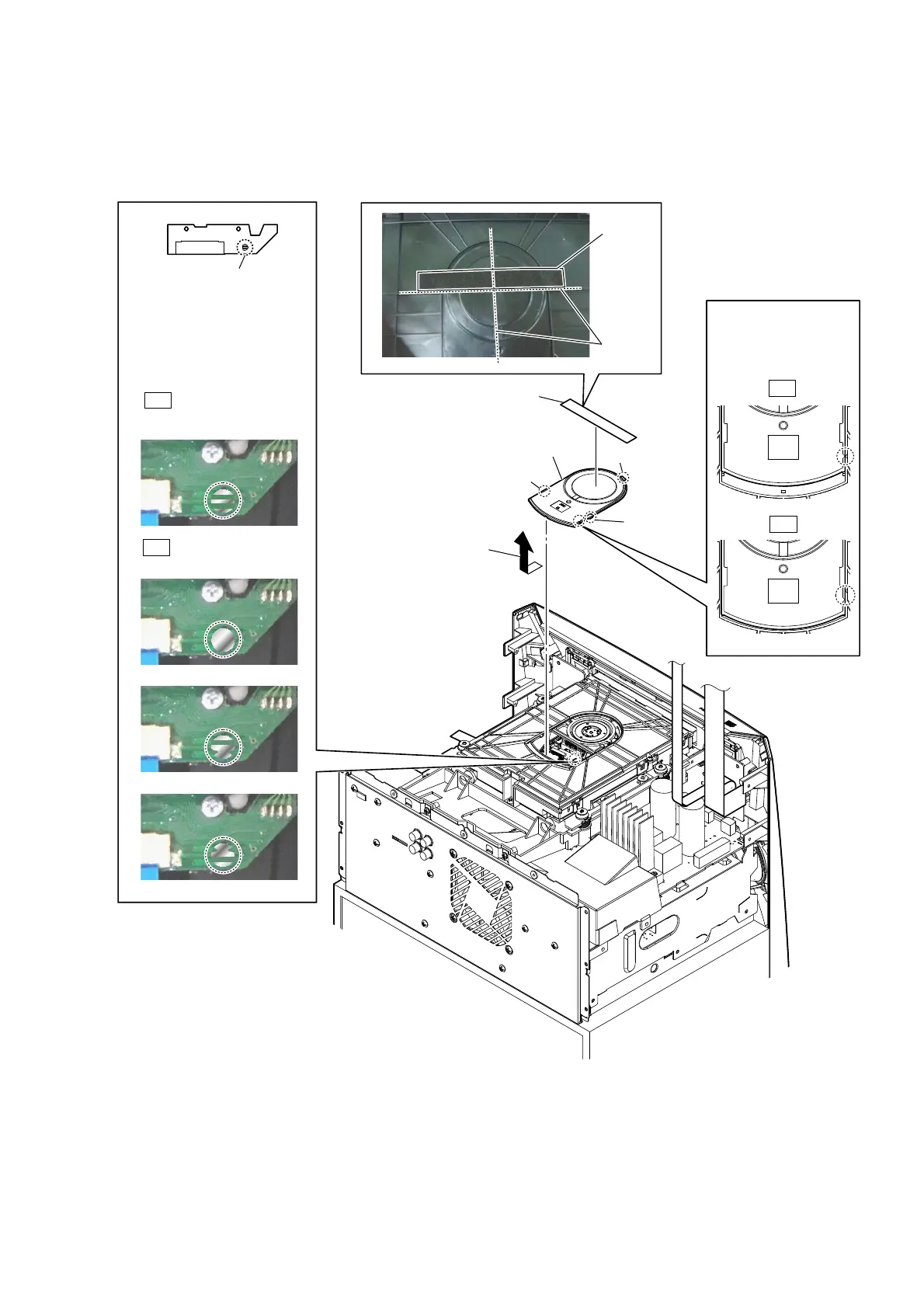
2-5. CDM BLOCK-1
• Continued on 2-6 (page 12).
Note 1: Before disconnecting fl exible fl at cable (24P) (CN302), solder the short-land.
– Top rear view –
3 Remove the chuck cap
in the direction
of the arrow.
4 chuck cap
2 claw
2 claw
2 claw
Note 3:
When installing
the chuck cap,
align the triangle
marks.
OK
NG
5
Solder the short-land.
Note 2: When assembling the CDM
block, remove the solder of
short-land after connecting
flexible flat cable (24P)
(CN302).
Solder is removed cleanly.
Solder is not removed.
OK
NG
1 cushion (E)
cushion (E)
guide line



 To Next Page
 Loading...











