MHC-V5
31
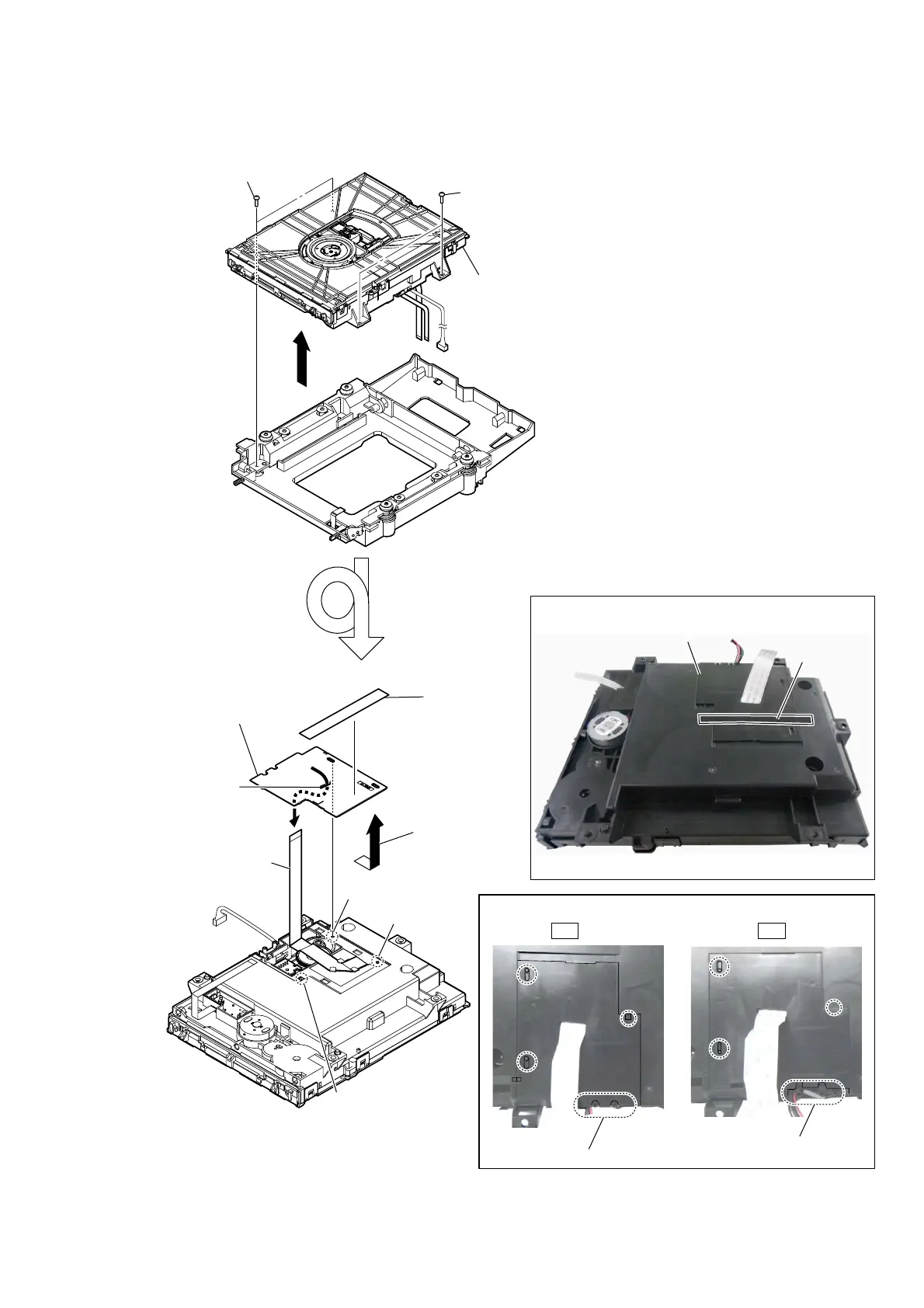
2-27. FFC HOLDER
1 two screws
(BVTP3 u 8)
2 CD mechanism deck block
1 two screws
(BVTP3 u 8)
cushion (H)
FFC holder
3 cushion (H)
boss
boss
claw
5 Draw out the flexible flat
cable (24 core) from hole.
4 Remove the
FFC holder
in the direction
of the arrow.
– CD mechanism deck block bottom view –
6
FFC holder
Note:
When installing the FFC holder,
check that installed firmly
two bosses and claw.
hole
+ow to install the ))C holdeU
3astinJ Sosition oI cXshion +
There is a gap.
There is no gap.
OK NG
–Bottom view –



 To Next Page
 Loading...











