39-EN
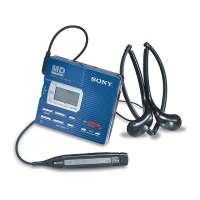
The headphones with a remote
control
1 Headphones
Can be replaced with optional
headphones.
2 VOL (volume) +/– buttons (9)
3 ( (play)/=/+ (search, AMS)
buttons
Press ( to play. While playing, press
the = side to find beginning of the
current or preceding tracks or to
search backward, or press the +
side to find the beginning of the
succeeding tracks or to search
forward.
4 TRACK MARK button (22)
5 P (pause) button (7, 9)
6 HOLD switch (19)
Slide to lock the controls of the remote
controller.
7 p (stop) button (7, 9)



 To Next Page
 Loading...