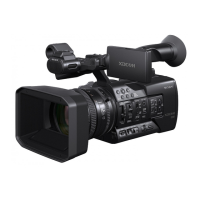
PMW-580/500/400/350/320/EX350/EX330/EX1R/F3
©2010 Sony Corporation 4-187-921-17 (1)
Getting Started
This document describes the procedure for upgrading the
PMW-580/500/400/350/320/EX350/EX330/EX1R/F3 to
the latest version. First save the update data to an SxS
memory card, and then use the menu to perform the
upgrade.
For details on using each camcorder, refer to the
Operating Instructions for the camcorder.
Checking the Current Version
If your current version is 1.00 or more, you can use the
update data to upgrade to the latest version.
To check the version of the PMW-EX1R/F3
Select “Version” from the OTHERS menu.
To check the version of the PMW-580/500/
400/350/320/EX350/EX330
Select “Version” >“Version” from the MAINTENANCE
menu.
Notes on Performing Upgrade
• Use an AC power source. You can mount the battery
pack at the same time to prevent problems in case the
AC power source is interrupted.
For the PMW-EX1R: Use a BC-U1/U2 Battery
Charger (usable as an AC adaptor).
For the PMW-580/500/400/350/320/EX350/EX330/
F3: Use an AC-DN10 or AC-DN2B AC Adaptor.
• Use an SxS Pro or SxS-1 memory card. Operations are
not guaranteed with memory cards other than SxS PRO
and SxS-1.
Saving the Update Data to an SxS
Memory Card
1
Use one of the following methods to enable data to be
saved from the computer to the SxS memory card.
• Use a computer with an SxS memory card slot.
• Connect an SBAC-US20 SxS Memory Card USB
Reader/Writer (not supplied) to the computer.
• Connect the camcorder to the computer using the
USB cable.
2
Format (initialize) the SxS memory card using the
camcorder.
Make sure to format an SxS memory card on the
camcorder that is to be upgraded.
3
Insert the SxS memory card that you formatted in step
2 into the SxS memory card slot on the computer, the
SBAC-US20 (not supplied), or the camcorder.
4
Download the zip file containing the update data
(model name_Y.YY_XXXX-SxS.zip) from the
update-data download site, and save it to a desired
location in the computer (Y.YY: latest version
number).
Check the model name and the version number of the
zip file, and download the file matching to your
camcorder.
5
Expand the zip file, and save the update data file
(model name_Y.YY_XXXX-SxS.f.bin) to the
location on the SxS memory card that you inserted in
step 3, as shown below:
• For FAT or UDF: Directly under the root directory
• For exFAT: Directly under the XDROOT directory
Do not save any files on the SxS memory card other
than the update data.
Note
Note
Note

 Need help?

 To Next Page
 General