13
Example: To programme the H (Play) signal of
your video cassette recorder to the VCR H
(Play) button of the Commander
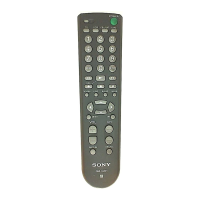
1 Place the RM-VL610T head to head with
your component’s remote control.
2 Press and hold SET for over 3 seconds.
The SET indicator flashes.
3 Press the Component Select button for the
component whose signals are to be
“learned.”
The SET indicator flashes and the selected
Component Select button lights up.
4 Press the button on the Commander you
want to “teach.”
The SET indicator flashes and the selected
Component Select button lights up. (Learning
function standby)
If another signal has already been
“learned” by that button
The SET indicator flashes twice, and the
Commander takes no action returning to its state
after the Component Select button was pressed
in Step 3. Either “teach” to another free button,
or clear the already “learned” function (page 16)
and start over from the beginning.
5 Press and hold the button on the other
remote control, until both the SET indicator
and the Component Select button light up
again.
During data transfer, only the SET indicator
stays lit, and the Component Select button turns
off.
After data transfer is complete, the Commander
returns to its state in Step 3.
Continued
about 5 – 10 cm
(2 – 4 inches) away
Remote control for
your component
RM-VL610T
remote control
of component
during data
transfer
data transfer
complete



 To Next Page
 Loading...