Location and Function of Parts
[j]
C)
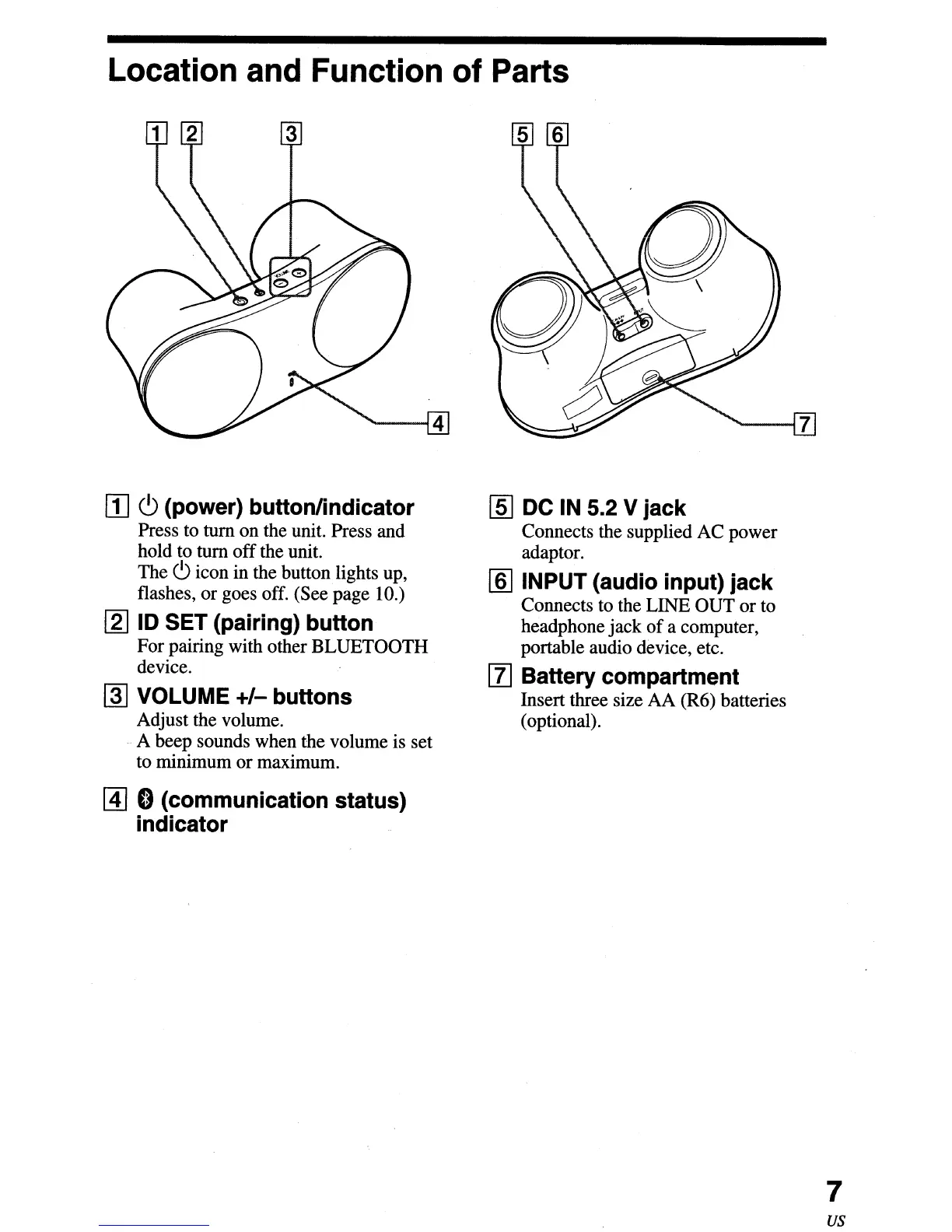
(power) button/indicator
Press to turn on the unit. Press and
hold to turn
off
the unit.
The
c9
icon in the button lights up,
flashes, or goes off. (See page 10.)
[2J
ID SET (pairing) button
For pairing with other BLUETOOTH
device.
~
VOLUME
+/-
buttons
Adjust the volume.
..
A beep sounds when the volume is set
to minimum
or
maximum.
~
0 (communication status)
indicator
[ID
DC IN 5.2 V jack
Connects the supplied AC power
adaptor.
[ID
INPUT (audio input) jack
Connects to the LINE OUT
or
to
headphone jack
of
a computer,
portable audio device, etc.
[1]
Battery compartment
Insert three size AA (R6) batteries
(optional).
7
us


 To Next Page