EasyManua.ls Logo

Sony TA-E1000ESD - Page 37

Sony TA-E1000ESD
48 pages
Print Icon
To Next Page IconTo Next Page
To Previous Page IconTo Previous Page
Loading...
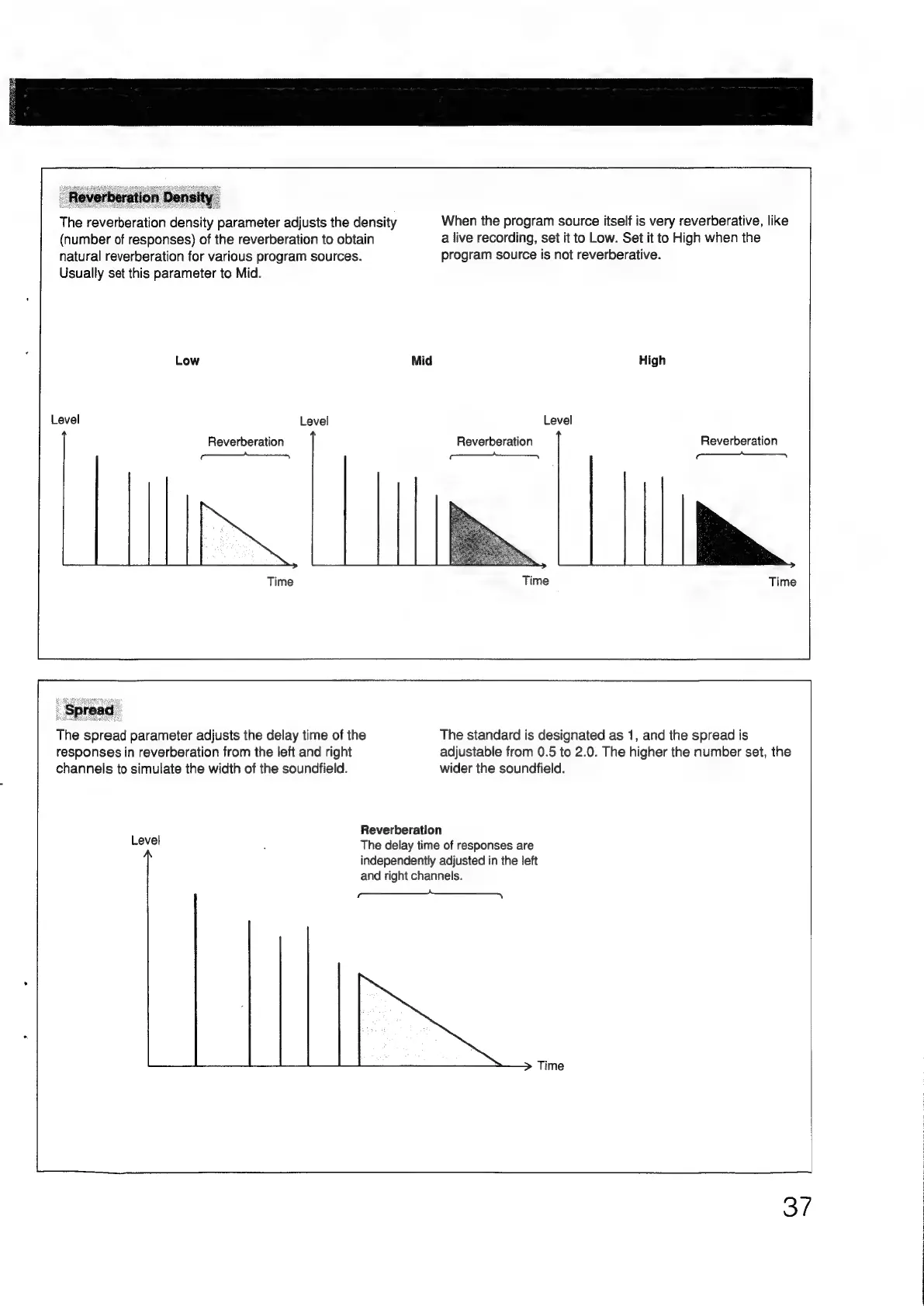
The
reverberation
density
parameter
adjusts
the
density
(number
of
responses)
of
the
reverberation
to
obtain
a
live
recording,
set
it
to
Low.
Set
it
to
High
when
the
natural
reverberation
for
various
program
sources.
program
source
is
not
reverberative.
Usually
set
this
parameter
to
Mid.
Low
Reverberation
|
en)
Mid
High
Level
Reverberation
Reverberation
aS
The
spread
parameter
adjusts
the
delay
time
of
the
The
standard
is
designated
as
1,
and
the
spread
is
responses
in
reverberation
from
the
left
and
right
channels
to
simulate
the
width
of
the
soundfield.
Level
adjustable
from
0.5
to
2.0.
The
higher
the
number
set,
the
wider
the
soundfield.
Reverberation
The
delay
time
of
responses
are
independently
adjusted
in
the
left
and
right
channels.
—_
When
the
program
source
itself
is
very
reverberative,
like
aii
37

Other manuals for Sony TA-E1000ESD

Related product manuals