EasyManua.ls Logo

Sony TA-E2000ESD - Page 12

Sony TA-E2000ESD
55 pages
Print Icon
To Next Page IconTo Next Page
To Previous Page IconTo Previous Page
Loading...
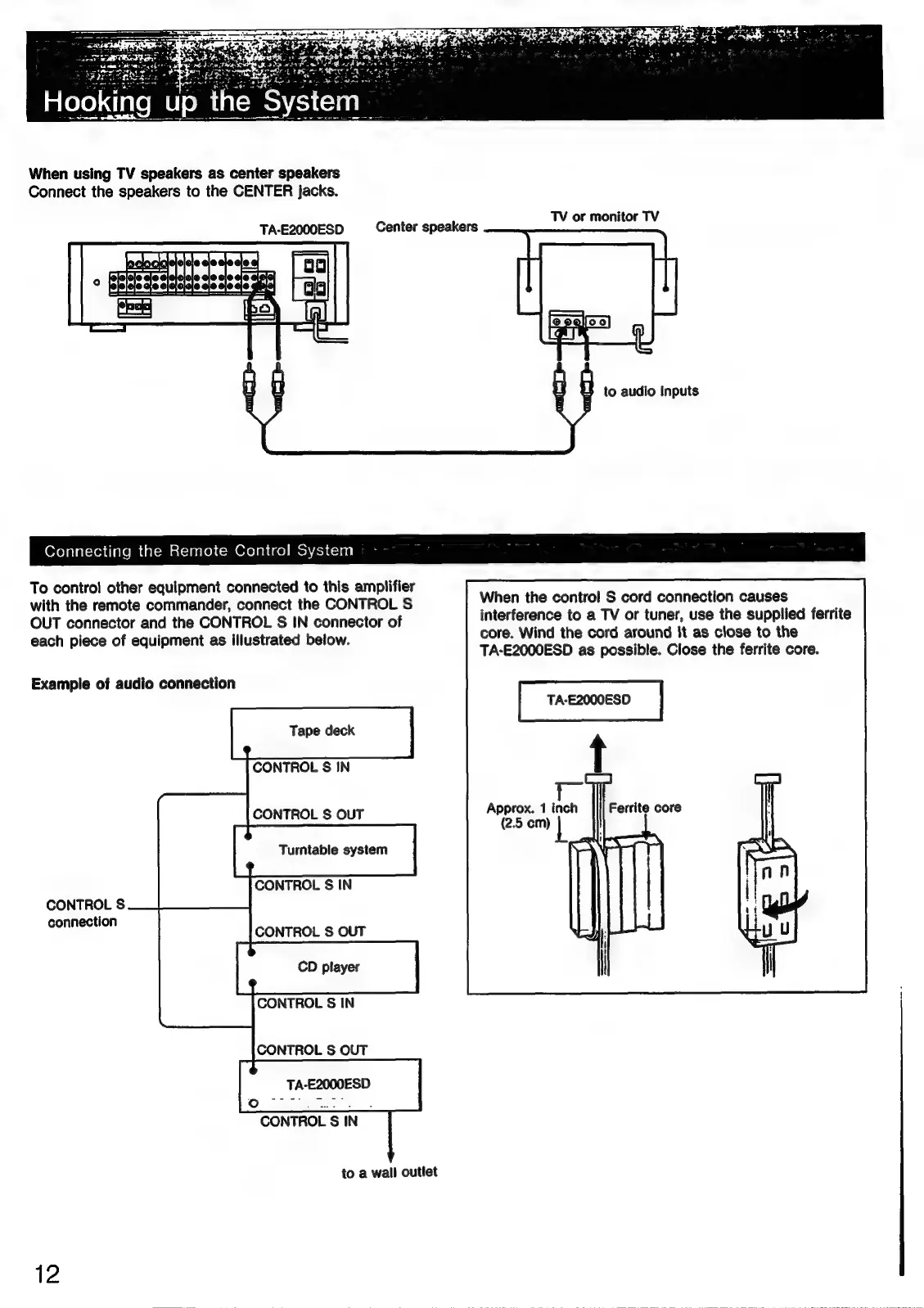
When
using
TV
speakers
as
center
speakers
Connect
the
speakers
to
the
CENTER
jacks.
TV
or
monitor
TV
TA-E2000ESD
Center
speakers
to
audio
inputs
Connecting
the
Remote
Control
System
To
control
other
equipment
connected
to
this
amplifier
with
the
remote
commander,
connect
the
CONTROL
S
When
the
control
S
cord
connection
causes
;
OUT
connector
and
the
CONTROL
S
IN
connector
of
seeabirlety
.
a
ss
of
seceelt
use
=
ate
ferrite
each
piece
of
equipment
as
illustrated
below.
core.
Wind
the
cord
around
it
as
close
to
the
mp
ob
eqprgngrit
TA-E2000ESD
as
possible.
Close
the
ferrite
core.
Example
of
audio
connection
TA-E2000ESD
Tape
deck
CONTROL
S
IN
Approx.
1
i
(2.5
cm)
CONTROL
S
OUT
Turntable
system
CONTROL
S
IN
CONTROL
S
connection
CONTROL
S
OUT
CD
player
CONTROL
§S
IN
CONTROL
S
OUT
CONTROL
S
IN
to
a
wall
outlet
12

Related product manuals