EasyManua.ls Logo

Sony Trinitron KV-21PS1 - Erasing or Adding Channels

Sony Trinitron KV-21PS1
18 pages
Print Icon
To Next Page IconTo Next Page
To Previous Page IconTo Previous Page
Loading...
Erasing
or
Adding
Channels
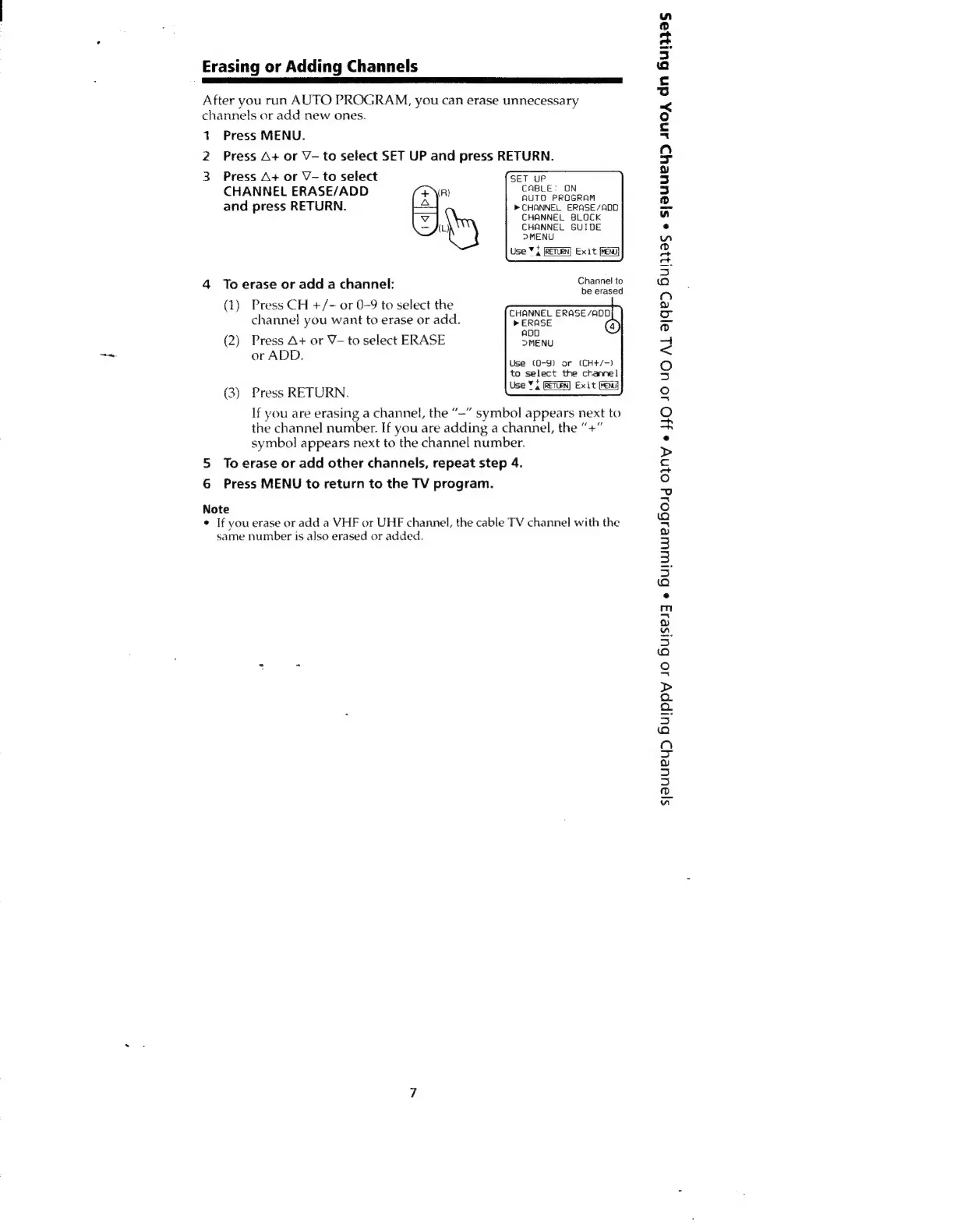
After
you
run
AUTO
PROGRAM,
you
can
erase
unnecessary
channels
or
add
new
ones.
+
Press
MENU.
2
Press
A+
or
V-
to
select
SET
UP
and
press
RETURN.
3
Press
A+
or
V-to
select
SET
UP
CHANNEL
ERASE/ADD
(R)
CABLE.
ON
AUTO
PROGRAM
and
press
RETURN.
>
CHANNEL
ERASE/ADD
CHANNEL
BLOCK
hy
CHANNEL
GUIDE
DMENU
Use
¥
i
(RETURN)
Exit
[ena
4
To
erase
or
add
a
channel:
Se
10
e
erased
(1)
Press
CH
+/-
or
0-9
to
select
the
CHANNEL
ERASE/ADD
channel!
you
want
to
erase
or
add.
>
ERASE
(2)
Press
A+
or
V—to
select
ERASE
REN
or
ADD.
Use
(0-9)
or
(CH+/-)
to
select
the
channel
(3)
Press
RETURN.
=e
If
you
are
erasing
a
channel,
the
“—”
symbol
appears
next
to
the
channel
number.
If
you
are
adding
a
channel,
the
“+”
symbol
appears
next
to
the
channel
number.
5
To
erase
or
add
other
channels,
repeat
step
4.
6
Press
MENU
to
return
to
the
TV
program.
Note
If
you
erase
or
add
a
VHF
or
UHF
channel,
the
cable
TV
channel
with
the
same
number
is
also
erased
or
added.
sjauuey>
Buippy
Jo
Buisesy
«
Bulwituesbolg
ONY
©
HO
JO
UO
AL
a/GeD
Huljas
«
syauUeYD
Ano,
dn
Buljas

Other manuals for Sony Trinitron KV-21PS1

Related product manuals