EasyManua.ls Logo

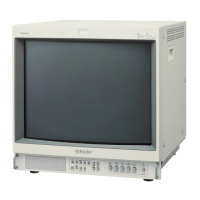
Sony Trinitron PVM-14L3 - Focus Adjustment

Sony Trinitron PVM-14L3
193 pages
Print Icon
To Next Page IconTo Next Page
To Previous Page IconTo Previous Page
Loading...
3.
Input
an
HD
SDI
all-white
cut-off
signal
to
BKM-
142HD,
4,
Adjust
the
all-white
luminance
so
that
the
screen
luminance
is
Jess
than
10
cd/m?
and
as
close
as
possible
to
3
cd/m?
with
the
signal
generator.
5.
Set
the
MONO
on
the
operation
panel
to
ON
and
measure
the
color
temperature.
6,
Set
the
MONO
on
the
operation
panel
to
OFF.
Adjust
color
temperature
to
the
same
color
temperature
value
that
is
measured
in
step
5
with
HD
SDI
B-Y
and
HD
SDIR-Y.
2-16.
Focus
Adjustment
1,
Input
the
525
monoscope
signal.
2,
Adjust
the
focus
so
that
the
focus
of
the
“30”
at
the
center
of
the
screen
becomes
optimum.
3.
Switch
the
signal
to
all
white,
and
check
the
uniformi-
ty.
PUMaLartgLsi2oLd
2-23

Table of Contents

Other manuals for Sony Trinitron PVM-14L3

Related product manuals