Parts and Controls on the Front
Describes the features on the front of the VAIO computer, such as buttons and indicator lights.
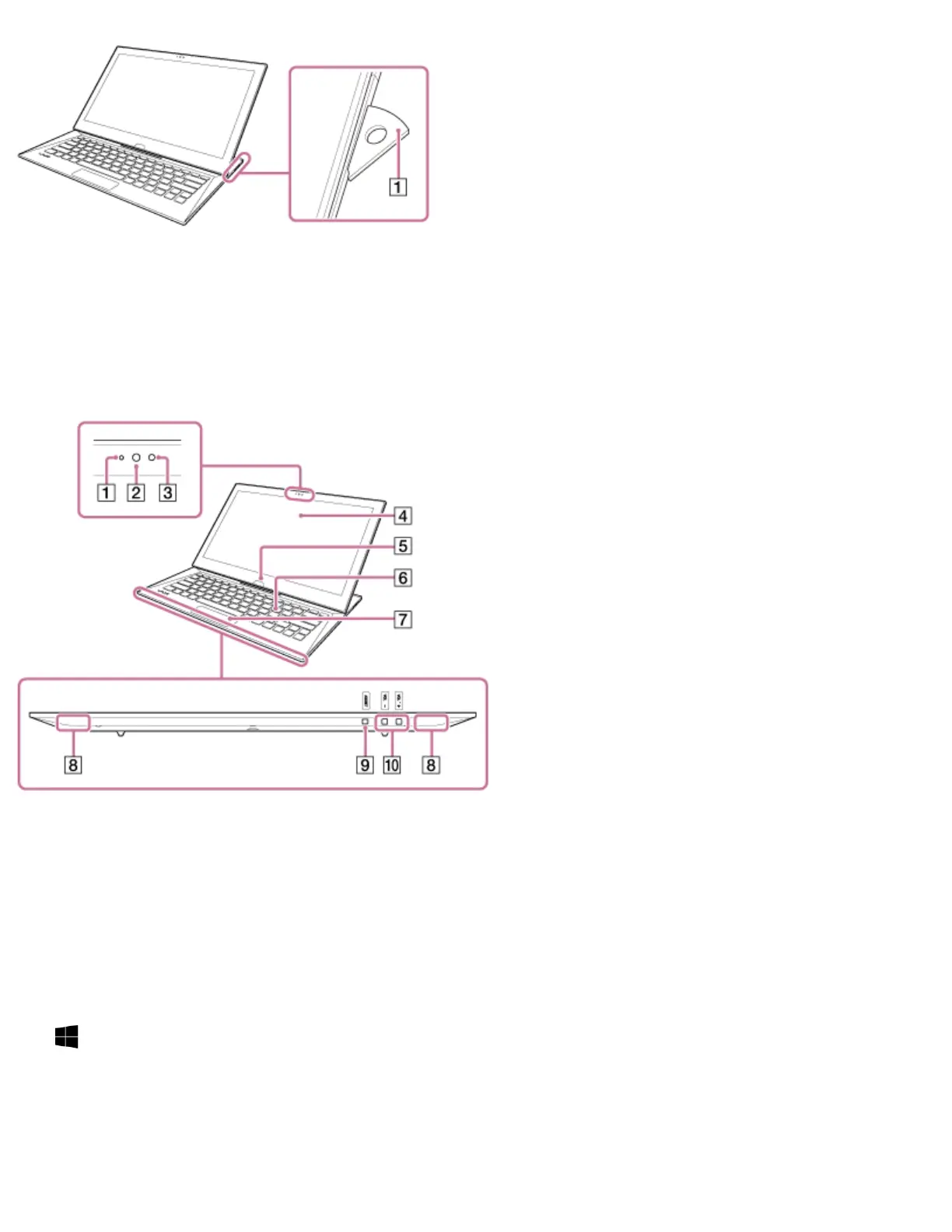
Pen stand (Using the Pen Stand (Digitizer Stylus supplied models))
1
Built-in front camera indicator (Using the Built-in Camera)
1
Built-in front camera (Using the Built-in Camera)
2
Ambient light sensor (Adjusting the LCD Brightness Automatically)
3
LCD screen or touch screen (How to Use the Touch Screen (Touch screen equipped
models))
4
Windows button
5
Keyboard
6
Touch pad (Using the Touch Pad)
7
Built-in stereo speakers
8







 To Next Page