7
To Press
Play/Pause u
Stop x/CHG*
2
Find the beginning of the current track (AMS*
1
) .once quickly*
2
Find the beginning of the previous tracks (AMS) .repeatedly*
2
Find the beginning of the next track (AMS) > once quickly*
2
Find the beginning of the succeeding tracks (AMS) > repeatedly*
2
Go backwards quickly Hold down .*
2
Go forward quickly Hold down >*
2
*
1
Automatic Music Sensor
*
2
These operations can be done during both play and pause.
About t he displa y
• When you press u after changing the CD or turning off and on the player, the total number
of tracks in the CD and total playing time appear for about two seconds.
• During play, the track number and the elapsed playing time of the current track appear.
• During pause, the elapsed playing time flashes.
If the volum e level doe s not incre ase
• Is AVLS set to “LIMIT”? Set AVLS to “NORM.” For details, see “Protecting your hearing
(AVLS).”
• Are the headphones/earphones connected to the LINE OUT (OPTICAL) jack? Connect them
to the i (headphones) jack.
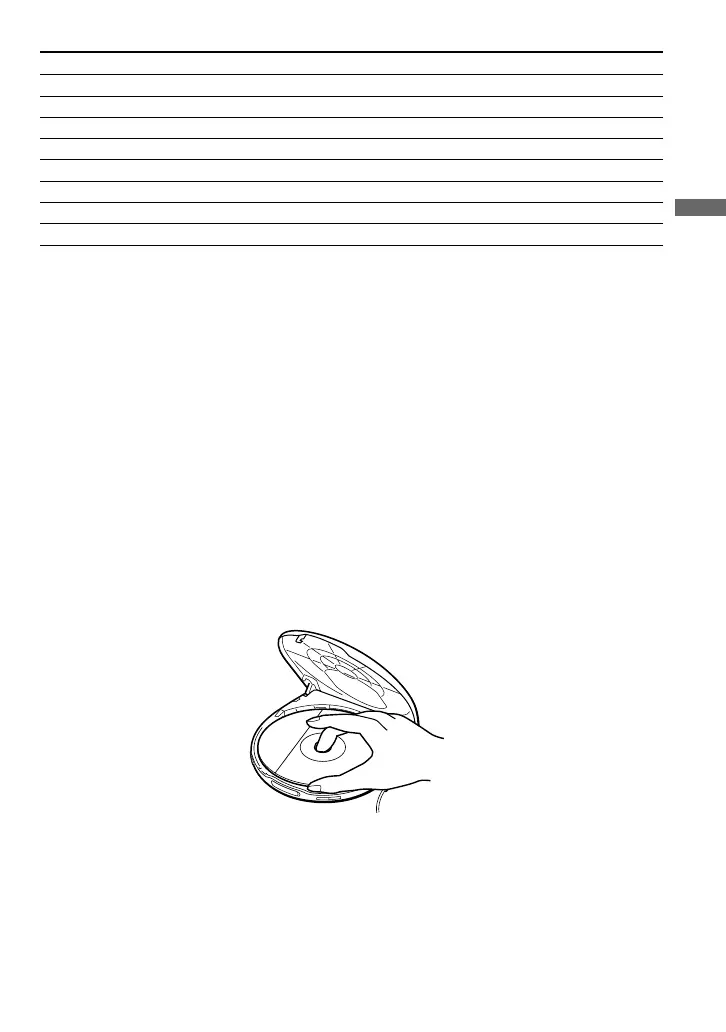
Re moving t he CD
Remove the CD while pressing the pivot in the center of the tray.
Playing a CD
Downloaded from: https://www.usersmanualguide.com/



 To Next Page