WALKMAN Help guide
Print
Search
Getting Started
How to Use the Software
How to Use the Speaker
Music
“SensMe™ Channels”
“Music Unlimited”
Videos/ Podcasts/ Photos
FM Radio
Making/ Playing Voice
Recordings
Noise Canceling
Timer
Games
Settings
Troubleshooting
Important Information
Specifications
Contents list
Top page > Getting Started > Home Menu/Option Menu > List of screen icons
List of screen icons
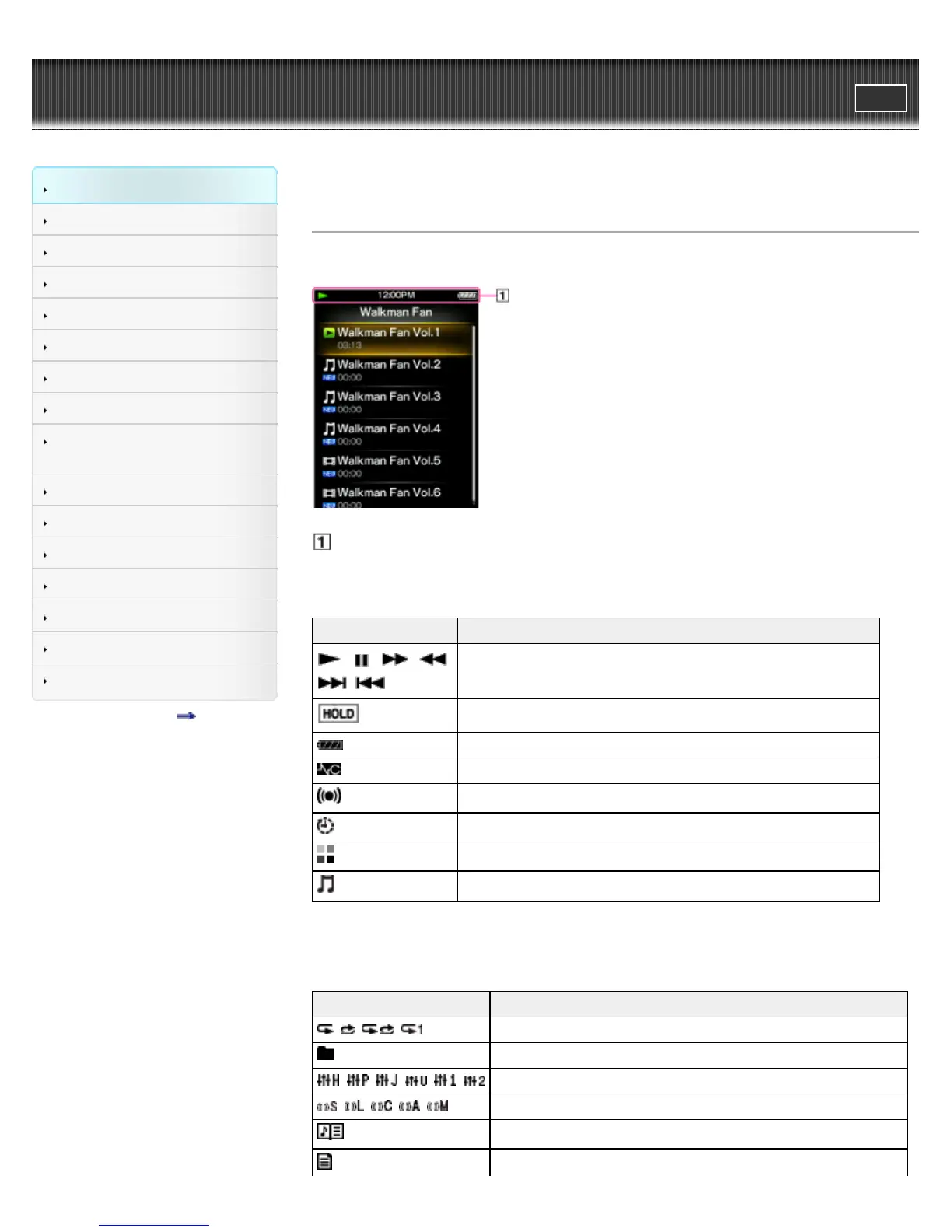
The icons vary according to the playback status, setting or screen.
Information area
Icons of the information area
Icon Description
, , , ,
, , etc.
Playback status [Details].
Hold indication [Details].
Remaining battery power [Details].
Noise Canceling indication [Details]. (NWZ-E573/E574/E575 only)
Alarm timer [Details].
Sleep timer [Details].
Busy status indication.
Music functions available [Details].
Icons other than the information area
Icon Description
, , , Play Mode [Details].
Playback Range [Details].
, , , , , Equalizer [Details].
, , , , VPT (Surround) [Details].
Displays song lyrics [Details].
There is a song lyrics file (LRC file) for the current song [Details].









 To Next Page