Search for the speaker on the computer.
4
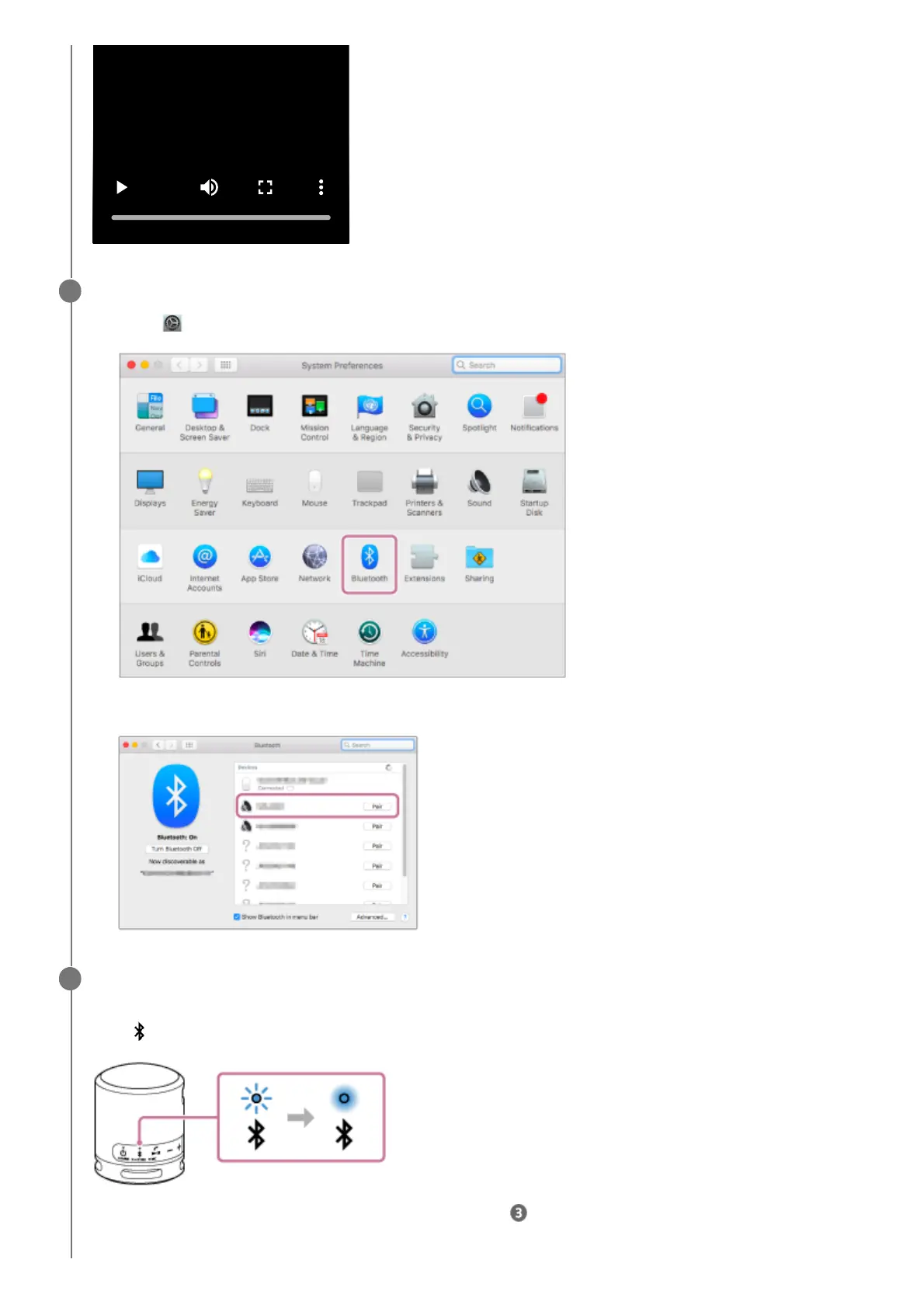
Click [
(System Preferences)] - [Bluetooth] in the taskbar on the right-bottom of the screen.1.
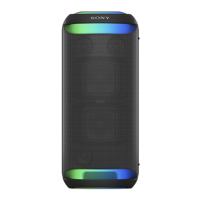
Select [SRS-XB100] from the Bluetooth screen, then click [Pair].
2.
Follow the on-screen instructions to establish a BLUETOOTH connection.
When the BLUETOOTH connection is established, you hear the notification sound from the speaker and the activity
of the
(BLUETOOTH) indicator changes from flashing to lit.
If the connection attempt fails, repeat the procedure from step .
5



 To Next Page