Help Guide
Wireless Speaker
SRS-XB100
Selecting the quality for music playback via a BLUETOOTH connection (Codec)
The “Priority on Sound Quality” and “Priority on Stable Connection” preferences are available on the speaker for the
BLUETOOTH connection quality. The “Priority on Sound Quality” preference provides compatibility not only with SBC but
also with AAC for music playback of high sound quality, whereas the “Priority on Stable Connection” preference enables
music playback via more stable BLUETOOTH connections. At the time of purchase, the “Priority on Sound Quality”
preference is selected.
Priority on Sound Quality (default setting): Optimal codec is automatically selected from AAC and SBC.
Priority on Stable Connection: SBC is selected.
Hint
As long as the speaker is connected to an AC outlet by a USB AC adaptor (commercially available), you can change the
BLUETOOTH connection quality while the speaker is turned off as well.
When using the Stereo Pair function, the codec automatically switches to SBC.
Note
While the “Priority on Sound Quality” preference is selected, noise or sound interruption may occur depending on the setting of
your BLUETOOTH device and ambient conditions. In such a case, change the BLUETOOTH connection quality to the “Priority on
Stable Connection” preference.
Turn on the speaker.
The
(BLUETOOTH) indicator flashes
*
in blue.
1
If the BLUETOOTH device which has been connected before is nearby, the speaker may be connected to the device automatically, and
then the
(BLUETOOTH) indicator may be lit in blue.
*
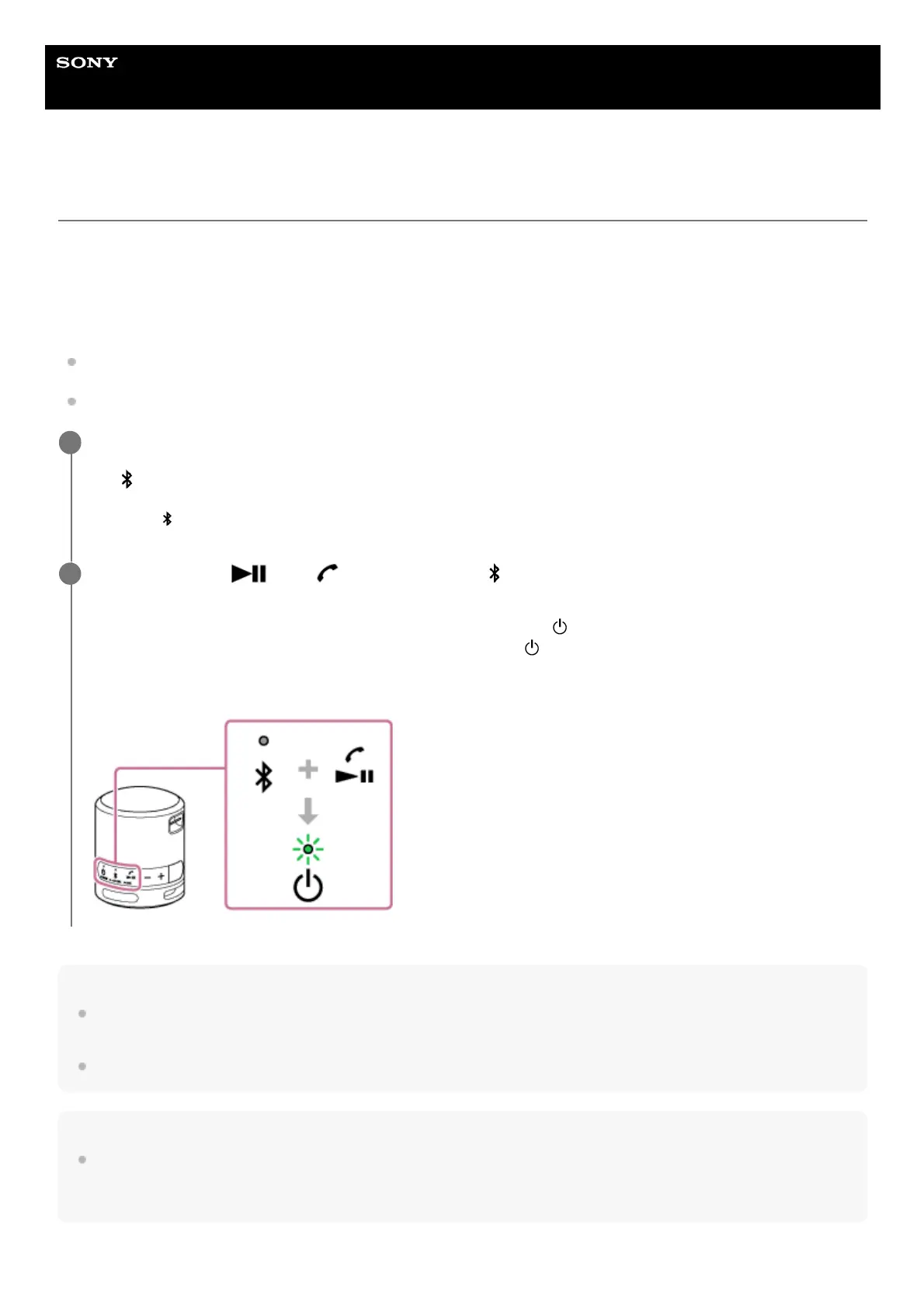
Press and hold the
(play)/ (call) button and the (BLUETOOTH) button simultaneously for about 2
seconds.
When the “Priority on Stable Connection” preference is selected, the
(power) indicator flashes 3 times in green.
When the “Priority on Sound Quality” preference is selected, the
(power) indicator flashes twice in green.
When the speaker is connected with BLUETOOTH devices, all the connections are automatically disconnected and
then reestablished and the new setup is applied.
2



 To Next Page