Help Guide
Wireless Speaker
SRS-XB100
Terminating the Stereo Pair function
To terminate the Stereo Pair function, follow the procedure below.
Hint
Turning off the speaker does not terminate the Stereo Pair function. When the speaker is turned back on, it attempts to establish
a connection for the Stereo Pair function. To use the Stereo Pair function, turn on the other speaker within 1 minute.
If you want to use only one of the speakers that were used with the Stereo Pair function, press the
(power) button to turn on
the speaker, then press and hold the
(BLUETOOTH)/ ST PAIR (Stereo Pair) button on one of the speakers until you hear
the notification sound to terminate the Stereo Pair function.
Related Topic
Listening to music wirelessly with 2 speakers (Stereo Pair function)
5-048-619-11(1) Copyright 2023 Sony Corporation
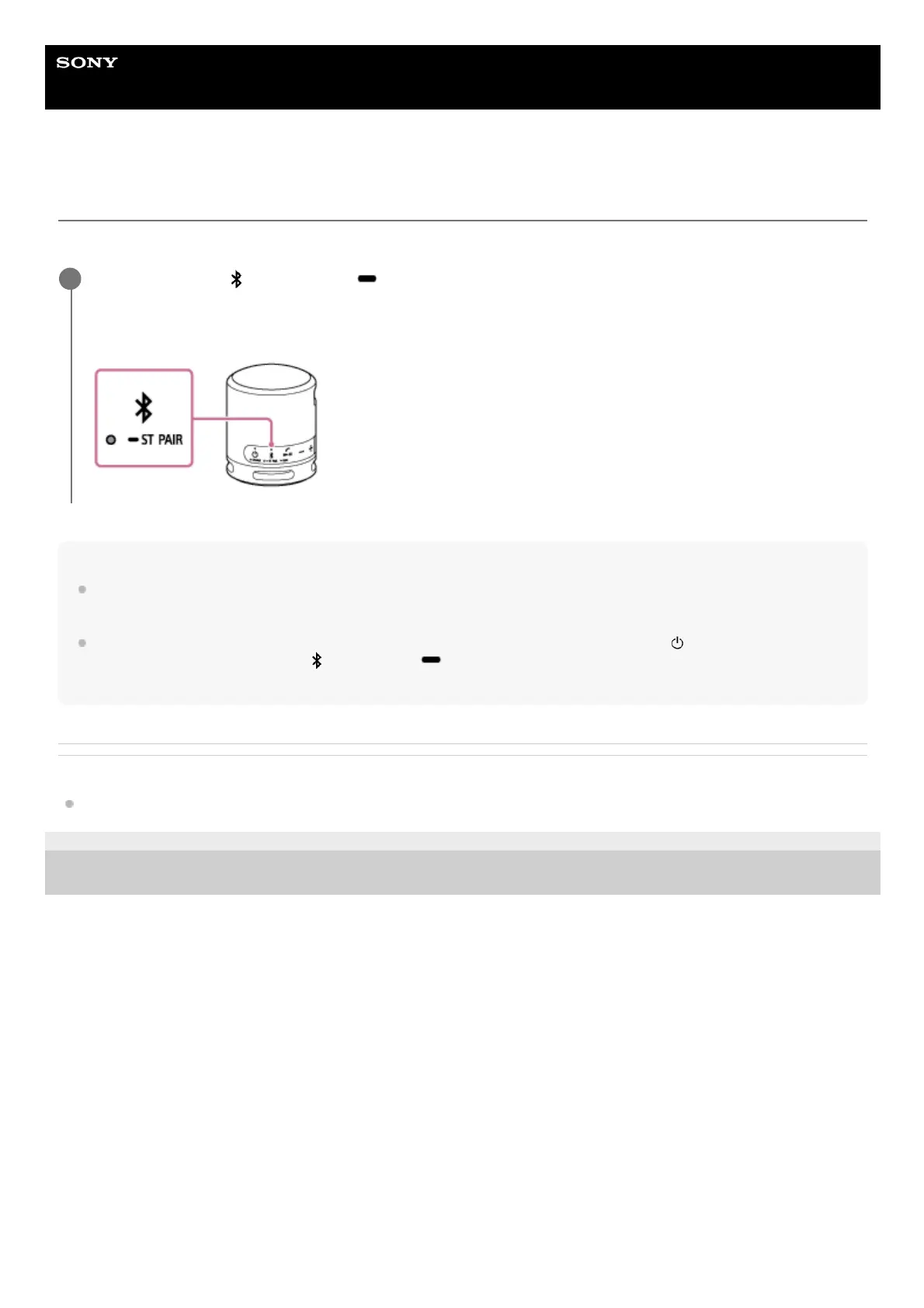
Press and hold the
(BLUETOOTH)/ ST PAIR (Stereo Pair) button on one of the speakers for about 2
seconds until you hear the notification sound.
The ST PAIR (Stereo Pair) indicator turns off.
1



 To Next Page