Hint
Some smartphones or mobile phones have handset use priority when receiving a call. In the case of the HFP connection, switch
the call device to the speaker by operating your smartphone or mobile phone.
When the caller is unable to hear or having trouble with hearing your voice, lean closer to the speaker and then talk into its
microphone.
The volume of music playback and calling is set independently in the speaker.
Note
When using the Stereo Pair function, the sound of the phone call is output from only the speaker with the blue lit
(BLUETOOTH)
indicator.
Depending on the smartphone or mobile phone, playback may not pause when an incoming call arrives.
Use a smartphone or mobile phone at least 50 cm (1.6 ft) away from the speaker. Noise may result if the speaker and the
smartphone or mobile phone are too close.
Depending on the model of your smartphone or mobile phone, the operation system or applications installed, some functions of
hands-free calling may not be used correctly.
Related Topic
Pairing and connecting with BLUETOOTH devices
Terminating the BLUETOOTH connection (After use)
Making a call
If no ring tone is heard via the speaker
The speaker may not be connected with a smartphone or mobile phone with HFP. Check the connection status on
the smartphone or mobile phone.
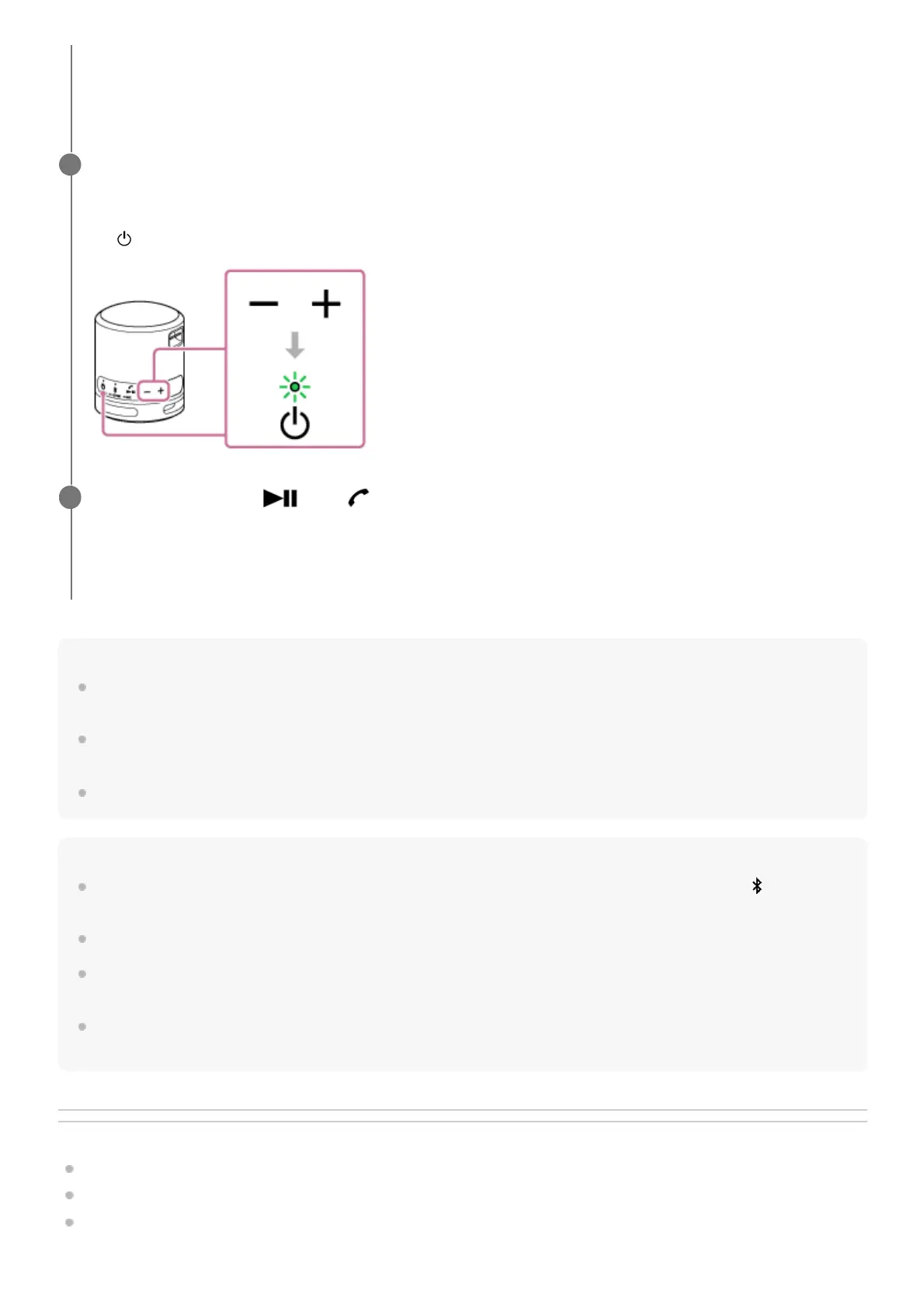
While the phone is ringing or a phone conversation is in progress, adjust the volume by pressing the –/+
(volume) buttons on the speaker or operating the smartphone or mobile phone.
When you press the –/+ (volume) buttons on the speaker or adjust the volume on the smartphone or mobile phone,
the
(power) indicator flashes once or 3 times.
3
To end a call, press the
(play)/ (call) button.
If you were listening to music before the call, playback will resume when the call ends. If you end a call by operating
the smartphone or mobile phone, playback will also resume when the call ends if you were listening to music before
the call.
4



 To Next Page