On Windows 10
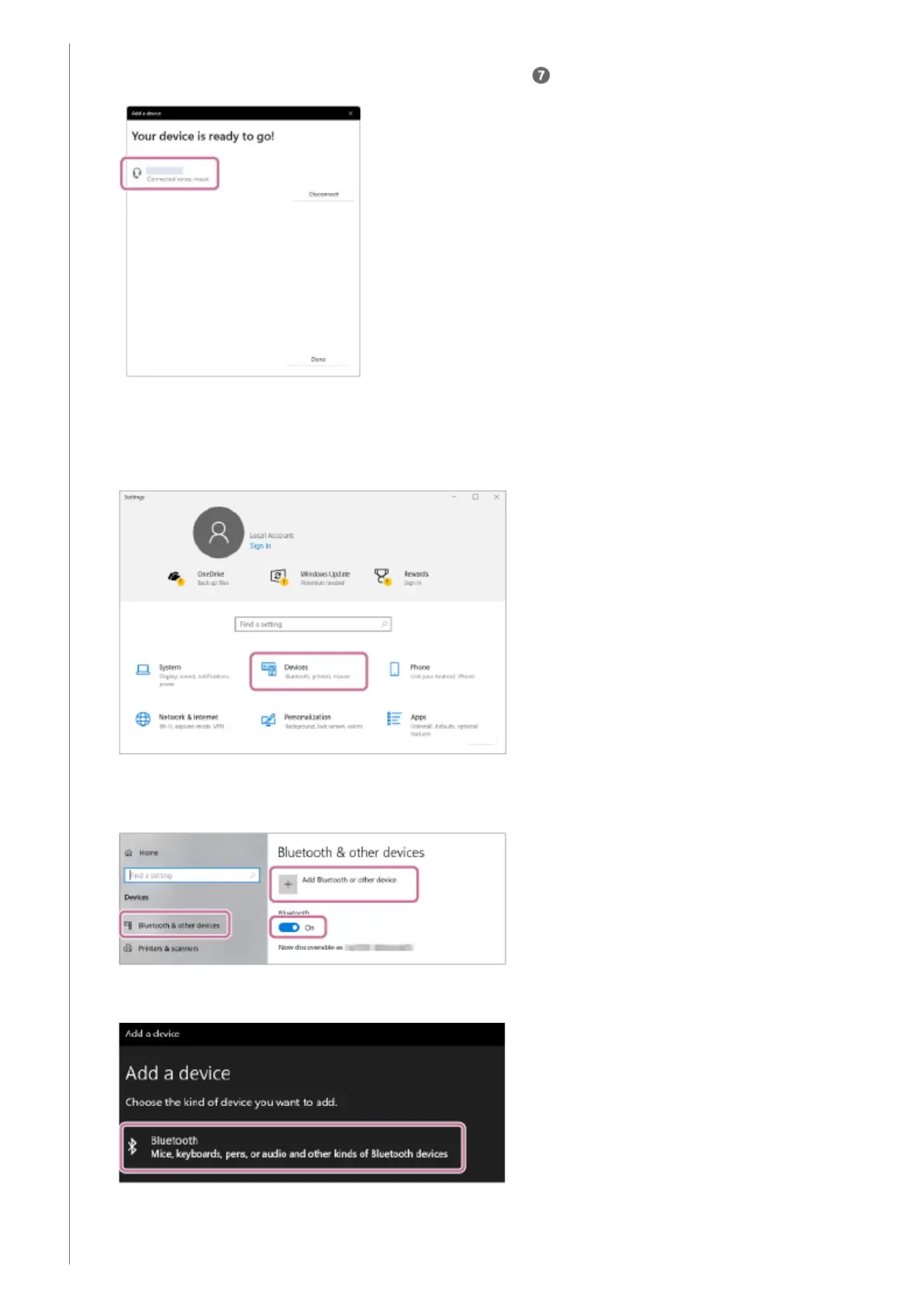
After pairing, the BLUETOOTH connection establishes automatically and [Connected music] or [Connected
voice, music] will be displayed on the screen. Proceed to step .
6.
Click the [Start] button, then [Settings].1.
Click [Devices].2.
Click the [Bluetooth & other devices] tab, click the [Bluetooth] switch to turn on the BLUETOOTH function, and
then click [Add Bluetooth or other device].
3.
Click [Bluetooth].4.
Select [ULT FIELD 1].5.



 To Next Page