Help Guide
Wireless Speaker
ULT FIELD 1
Enjoying switching the sound effects
You can enjoy switching the sound effects on the speaker.
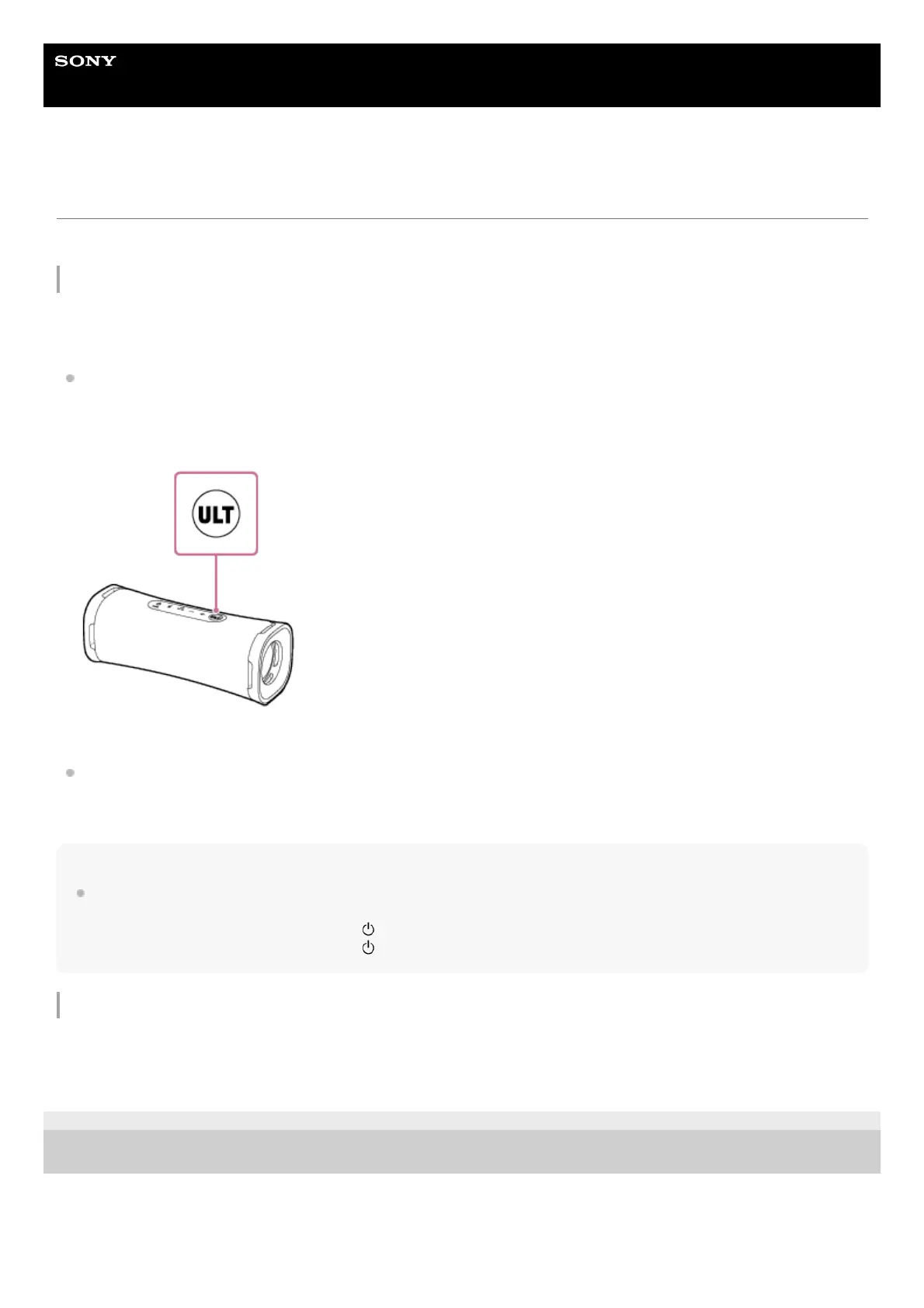
Enjoying enhanced bass sound (ULT button)
You can take either of the following procedures for setup. At the time of purchase, the ULT POWER SOUND setting is
turned on.
Press the ULT button.
Each time you press the ULT button, the ULT POWER SOUND setting turns on or off.
Each time the setting is changed, you hear the notification sound from the speaker, and the ULT button lights up or
lights out.
ULT POWER SOUND: Emphasizes bass sound.
Use “Sony | Music Center.”
On “Sony | Music Center,” tap [ULT FIELD 1] - [Settings] - [Sound] - [Sound Effect], then select [OFF] or [ULT
POWER SOUND].
Hint
By pressing and holding the ULT button and the – (volume) button on the speaker simultaneously for about 2 seconds, you can
turn on or off the notification sound.
When the notification sound is turned off, the (power) indicator flashes 3 times in green.
When the notification sound is turned on, the (power) indicator flashes twice in green.
Adjusting the equalizer setting to your preference (CUSTOM)
On “Sony | Music Center,” tap [ULT FIELD 1] - [Settings] - [Sound] - [Sound Effect] - [CUSTOM].
Tap [Custom EQ], and then adjust the equalizer setting to suit your preference.
5-057-417-11(1) Copyright 2024 Sony Corporation



 To Next Page