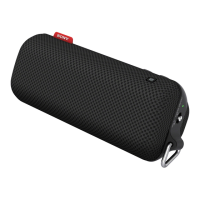
You can charge the speaker's built-in battery by connecting the speaker to a computer that comes equipped with a USB charging
port as well. However, not all the computers are tested and found compatible with this procedure and the procedure is not
applicable to home-built computers.
In an extremely cold or hot environment, charging stops for safety. If charging takes a long time, it also makes charging of the
speaker stop. To resolve these issues, disconnect the USB cable from the speaker and connect it again within an operating
temperature between 5 °C and 35 °C (41 °F and 95 °F).
At high temperature, the charging may stop or the volume may reduce to protect the battery.
Charging from a USB hub is only guaranteed when you use a self-powered USB hub that carries an authorized logo.
While the speaker is connected with a computer that is not connected to an AC outlet, the speaker consumes the battery power of
the computer. Do not leave the computer with the speaker connected for a long period of time to prevent the computer's battery
from running out of power.
Related Topic
Charging the speaker
Restarting the speaker
5-057-417-11(1) Copyright 2024 Sony Corporation



 To Next Page