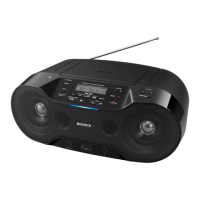
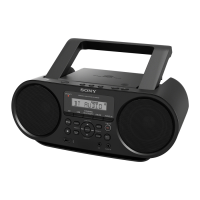
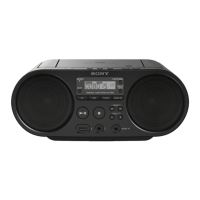
ZS-RS70BT/RS70BTB
20
SECTION 3
TEST MODE
COLD RESET
System μ-com is reset and EEPROM is cleared.
Note: The informations of Bluetooth and DAB are not initialized.
Procedure:
1. Press the [POWER] (Except AEP and UK models)/[OPER-
ATE] (AEP and UK models) button to turn the power on.
2. Press three buttons of [POWER] (Except AEP and UK mod-
els)/[OPERATE] (AEP and UK models), [ERASE] and [
x
]
simultaneously.
3. The message “RESET” appears on the liquid crystal display,
the set enters standby status.
PANEL TEST
It can perform all segments on the liquid crystal display light-up,
fi rmware version display and destination display.
Enter the panel test mode
Procedure:
1. Press the [POWER] (Except AEP and UK models)/[OPER-
ATE] (AEP and UK models) button to turn the power on.
2. Press three buttons of [AUDIO IN], [ /TUNE +] and [MODE]
simultaneously.
3. When the panel test mode is activated, segments of the liquid
crystal display are all turned on.
DAB
SC FILE FOLDER
MANUAL
USB
BLUETOOTH
SHUF PGM
1
CD
ST
REC
MEGA BASS
Version, model and destination check
Procedure:
1. In the panel test mode (segments of the liquid crystal display
are all turned on), press the [CD] button, and the system ver-
sion is displayed.
(Displayed value in the following fi gure is example)
2. Press the [ MEMORY SELECT USB] button, and the USB
host version is displayed.
(Displayed values in the following fi gure is example)
3. Press the [ SCAN RADIO DAB/FM] button, and the DAB
module fi rmware is displayed. (AEP and UK models only)
(Displayed values in the following fi gure is example)
4. Press the [ PAIRING BLUETOOTH] button, and the Blue-
tooth module fi rmware version is displayed.
(Displayed values in the following fi gure is example)
5. Press the [AUDIO IN] button, and the model and destination
are displayed.
Destination Display
AEP and UK models 04 CE
E41 model 04 AR E4
E92 and Mexican models 04 MX E9
• Abbreviation
E41: Bolivian, Chilean, Paraguayan, Peruvian and
Uruguayan models
E92: Venezuelan, Panamanian, Honduran, Guatemalan,
Colombian, Costa Ri-ca, Dominican, Ecuadorean and
El Salvador models
Releasing method:
Press three buttons of [AUDIO IN], [
/TUNE +] and [MODE]
simultaneously.
FM TUNER STEP CHANGE
(Bolivian, Chilean, Paraguayan, Peruvian and Uruguay-
an models only)
The FM tuning interval can be changed over 50 kHz or 100 kHz.
Procedure:
1. Press the [POWER] button to turn the power on.
2. Press the [ AUTO PRESET RADIO FM/AM] button to select
FM radio function.
3. Press the [MANUAL PRESET
u
] button, change to the dis-
play of “FM- 1”.
4. Press and hold (about 2 seconds) the [ AUTO PRESET RA-
DIO FM/AM] button, the message “FM 50K” or “FM 100K”
appears on the liquid crystal display (The step at the present
setting is displayed).
or
5. Press the [– PRESET
.
] or [PRESET +
>
] buttons, select
to the “FM 50K” or “FM 100K”.
6. Press the [ENTER] button, it is changed into selected setting.
Press other than [ENTER] button, will cancel this mode.


 To Next Page
 Loading...