2. User Manual
04
Gentle Mode
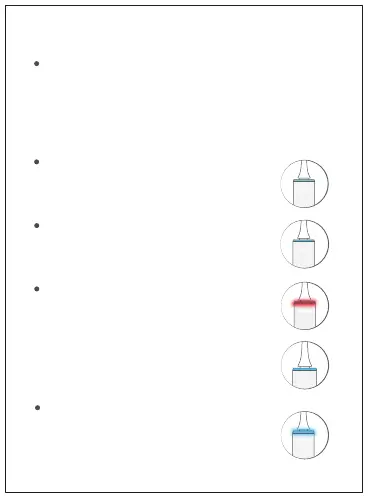
Charging & Battery Status Indicator
Cleaning Mode
Zone Switch Reminder
Every 30 seconds, the Smart Ring flashes with a
slight vibration pause as a reminder to switch
brushing zones.
- Flashing Red Light: Low battery, please charge at �
your earliest convenience.�
- Flashing Blue Light: Charging indicator, the product �
is currently under charging.�
- Constant Blue Light: The product has been fully �
charged.
- Short press to turn on. After 10 seconds, short press to turn off.
- Press consecutively within 10 seconds for the followings: turn on,
switch modes, turn off.
- Long press for longer than 1 second: Activate pause mode. Within
30 seconds of the pase mode, the timer will be paused.
Gentle vibrations to clean teeth. Recommended
for first-time users and those with sensitive teeth.
High-frequency vibration for effective cleaning.
Ideal for whitening of teeth.
Initiation of the Spark



 To Next Page