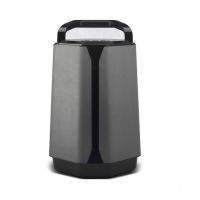
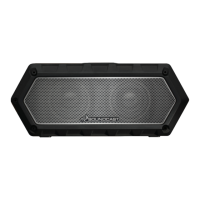
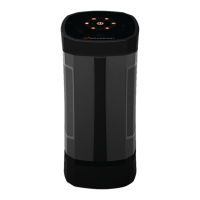
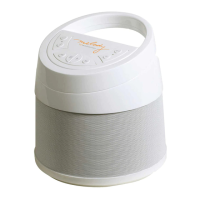
The Soundcast Outcast Junior is a wireless audio transmission system designed to provide high-quality, interference-free sound. It is a portable speaker that can operate on battery power, AC/DC power, or 12-volt automotive power, making it suitable for both indoor and outdoor use.
Function Description:
The Outcast Junior functions primarily as a wireless speaker that receives audio signals from a Soundcast transmitter. It can also play music via a wired connection using its auxiliary input. The device is designed for ease of use with a simple keypad for controlling power, volume, and track functions (when used with a compatible transmitter). A key feature is its ability to be configured as an individual stereo unit or as part of a stereo pair (left or right channel) when two Outcast Juniors are used with a single transmitter, enhancing the audio experience.
Important Technical Specifications:
- Power Source: 12-volt Nickel Metal Hydride (Ni-MH) rechargeable battery, AC/DC power supply, 12-volt automotive power adapter.
- Battery Life: Up to 18 hours in battery saver mode (lower listening levels); 4 to 7 hours in high power mode (higher listening levels).
- Charging Time: Approximately 6 to 8 hours for a full battery charge.
- Input: Wireless from Soundcast transmitter, wired via 3.5mm mini to mini auxiliary input.
- Wireless Channels: Selectable channels (1, 2, or 3) to match the transmitter.
- Operating Temperature for Battery Storage: -20 degrees C (-4 degrees F) to +35 degrees C (95 degrees F).
- Compliance: Part 15 of the FCC Rules for Class B Digital Device.
Usage Features:
- Portability: Designed for easy transport and use in various environments, including outdoors (weather resistant, not waterproof).
- Multiple Power Options: Flexibility to operate on battery for portability, AC/DC for indoor use, or 12-volt automotive power.
- Wireless Connectivity: Seamless audio streaming from a Soundcast transmitter, with a blue link light indicating successful connection.
- Wired Auxiliary Input: Allows connection of audio devices directly via a 3.5mm mini-jack cable, disabling wireless function when in use.
- Volume Control: On-unit volume adjustment with a battery saver feature that optimizes battery life at lower listening levels. The unit remembers the last volume level after powering off.
- Stereo Pairing: Two Outcast Junior units can be configured to act as a stereo pair (left and right channels) for a more immersive sound experience, or each can function as an independent stereo unit. This configuration is only available with wireless transmission.
- Keypad Controls: Intuitive buttons for power on/off, volume up/down, track back, track forward, and play/pause (track and play/pause functions are dependent on the transmitter and source device, e.g., iPod with iCast transmitter or PC media players with UAT transmitter via USB).
- Configuration Memory: Once configured as left, right, or stereo, the unit retains this setting even after being powered off.
- Rubber Cover: A protective rubber cover on the top left side of the unit protects the channel selector switch and auxiliary input from elements.
Maintenance Features:
- Battery Charging: The Ni-MH battery is charged using the provided AC/DC battery charger power supply. The charger indicates charging status (red light) and full charge (green light). Flashing red and green lights indicate a fault condition with the battery.
- Battery Installation/Removal: The battery is inserted into a rubber holder inside the battery cover, located on the underside of the unit. Retaining tabs secure the battery cover.
- Cleaning: The unit should be cleaned only with a dry cloth.
- Safety Precautions:
- Electrical Safety: Use only the supplied AC/DC adapter and power cord. Do not defeat the safety purpose of polarized or grounding-type plugs. Protect the power cord from damage. Refer servicing to qualified personnel.
- Environmental: Do not expose the unit to rain or moisture. Do not use in water (it is weather resistant, not waterproof). Avoid installing near heat sources or blocking ventilation openings. Store indoors when not in use.
- Battery Safety: Follow strict Ni-MH battery safety instructions to prevent leakage, heat generation, or rupturing. Do not dispose of in fire, expose to high temperatures, insert with reversed poles, connect directly to power outlets, or disassemble. Use only the provided charger. Store the battery in a dry place within specified temperature ranges when not in use for prolonged periods.
- Troubleshooting: If the blue link light does not illuminate, reset the channel switch on both the Outcast Junior and the transmitter, or try a different channel. Moving the unit closer to the transmitter may also help. Ensure the rubber cover is properly reseated to prevent water ingress.
- Warranty: Soundcast Systems provides a one-year warranty for defects in workmanship and materials. Warranty service requires an RMA number and shipment to the Warranty Repair Service Center.

 Need help?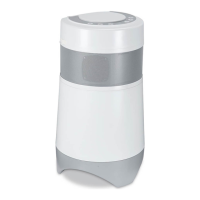

 To Next Page
 General