07 08
EN EN
*SoundLine AUX cable sold separately.
Soundcore Wakey will play music via the Bluetooth connection over
the AUX connection when both are connected.
When using AUX mode, control audio playback via the connected
device.
c. FM Radio
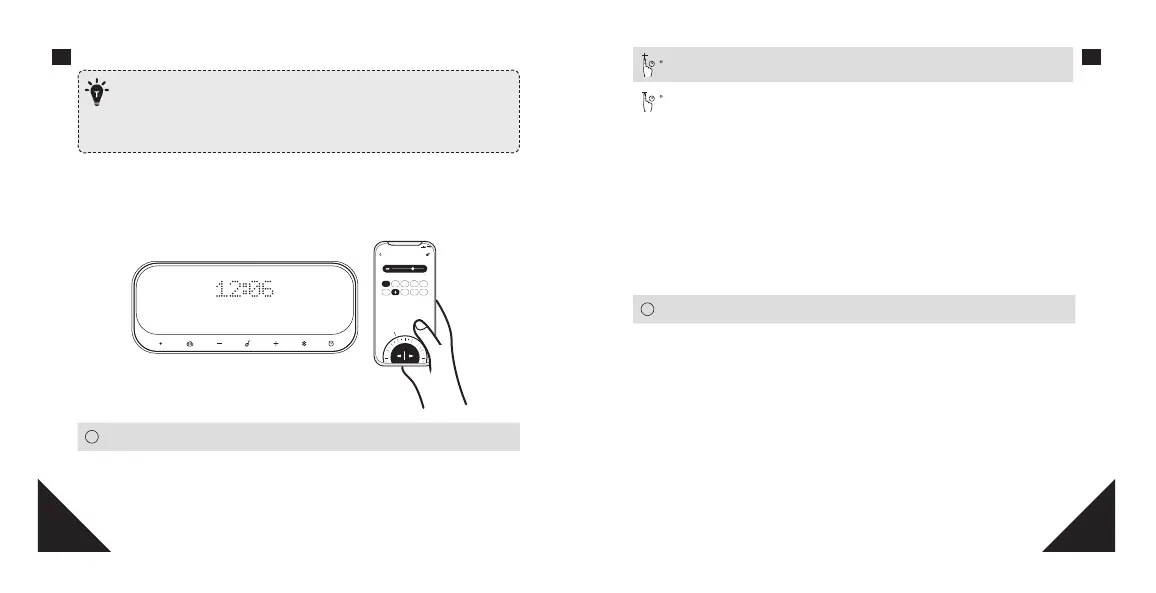
Set the FM radio on the Soundcore App. (FM Radio needs to be used with the
provided antenna cable)
9:41
96.6
Back
FM Radio
Favorite Stations
104.9
94.6 99.3 100.2 97.2
MHz
96.6
Solid White FM radio turned on
OFF FM radio turned o
2
Change to next FM channel (When FM radio is on)
2
Change to previous FM channel (When FM radio is on)
Note: You can store your favorite channels in the FM channel folder on the
Soundcore app. If there are no channels saved in the FM channel folder, Wakey
will automatically switch to previous or next available channel.
d. Alarm Preset
Set the preset alarm on the Soundcore App. You can set up alarms on the
Soundcore App. When alarm activates on, press any button to enter snooze
mode, press and hold any button for a few seconds to cancel current alarm
clock.
Solid White Alarm is on
OFF Alarm is o
e. Superior Sleep
This function oers a collection of sounds from nature for aiding sleep. Select
your desired sounds on the Soundcore App. User can set sleep countdown
timer to control the duration of playtime.
1. Add Soundcore Wakey to the Soundcore App list.
2. Enter Superior Sleep page.
3. Follow onscreen instructions to set the “Sleep timer” and “Ambient sound”.









 To Next Page