EasyManua.ls Logo

SoundLogic XT TS-1/1865 - User Manual

SoundLogic XT TS-1/1865
9 pages
Print Icon
To Next Page IconTo Next Page
Loading...
KICKSTAND KARAOKE SPEAKER
WITH LED LIGHTS
M/N:TS-1/1865
Question and Answer IconNeed help?

Do you have a question about the SoundLogic XT TS-1/1865 and is the answer not in the manual?

Summary

Getting Started and Product Information

Package Contents

Lists the items included in the speaker package, ensuring all components are present.

Product Features

Highlights the key capabilities and specifications of the Kickstand Karaoke Speaker.

Safety Instructions

Provides essential safety guidelines to prevent damage and ensure safe operation of the speaker.

Description of Parts

Instructions for Use

Charging the Kickstand Karaoke Speaker

Instructions on how to charge the speaker for optimal performance before first use.

Pairing Your Device with the Speaker

Steps to connect a Bluetooth-enabled device to the speaker wirelessly.

Listening to Wireless Music

Guidance on playing music from a paired device via Bluetooth.

Listening to Music using USB; Micro SD (TF) Card Slot

Instructions for playing audio files from USB drives or Micro SD cards.

Listening to Music using AUX-In

How to connect and play audio from external devices using the AUX-In port.

Listening FM radio

Steps for tuning into and listening to FM radio stations.

Tips, Microphone, and Maintenance

Tips for Operation

Provides helpful operational tips for using the speaker's various functions.

Using the Microphone

Instructions for connecting and operating the microphone for karaoke.

Care and Maintenance

Guidelines for cleaning and maintaining the speaker unit.

Product Specifications

Details the technical specifications of the Kickstand Karaoke Speaker.

Troubleshooting

Limited Warranty

FCC Statement

Overview

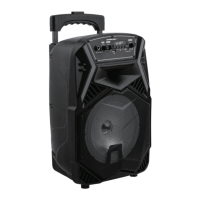
This document describes the Kickstand Karaoke Speaker with LED Lights, model number TS-1/1865, an instruction manual detailing its features, usage, and maintenance.

Function Description:

The Kickstand Karaoke Speaker is a multi-function audio device designed for entertainment. It features built-in Bluetooth connectivity, allowing wireless audio streaming from compatible devices. The speaker supports various input sources including USB flash drives, Micro SD cards, FM radio, an Aux jack, and a microphone input for karaoke. It is equipped with LED lights that change color, enhancing the user experience. The unit has a built-in rechargeable battery and comes with a USB recharge cable.

Important Technical Specifications:

  • Bluetooth Version: 5.0
  • Speaker Size: 8.0"
  • Unit Dimensions (L x W x H): 10.63" x 8.67" x 16.93"
  • Unit Weight: Approximately 5.5 lb
  • Power Input: DC 5V
  • Charging Time: 3-4 hours
  • Bluetooth Range: 27 - 33 Feet
  • FM Frequency Range: 87.5-108MHz
  • Built-In Rechargeable Lithium Battery: 1800mAh

Usage Features:

Getting Started:

To begin, remove the speaker and all packaging from the box. It is recommended to retain all packaging until all parts and contents have been checked against the package contents list.

Charging the Speaker:

For optimal performance, fully charge the unit before its first use. Connect the included USB cord to the speaker's charging port and the other end to a computer port or similar power source. The charging indicator will turn RED during charging and turn off when fully charged. A full charge typically takes 3-4 hours.

Turning On/Off:

Rotate the POWER KNOB from the OFF position to the ON position to power on the unit, activating the color-changing LED lights. Rotate it back to the OFF position to turn off the unit.

Pairing with a Bluetooth Device:

The speaker can stream wireless audio from any Bluetooth-enabled device within a range of 27-33 feet.

  1. Turn on the speaker.
  2. Enable Bluetooth on your mobile phone, tablet, or computer.
  3. The device will search for available Bluetooth devices.
  4. The speaker will appear as "SL - KICKSTAND" in the list of searched devices. Select it to pair.
  5. A successful pairing will be indicated by an audible tone.
  6. If pairing fails or if you wish to pair with a new device, repeat the steps. Once paired, you can play music from your Bluetooth source device, and it will stream through the speaker.

Listening to Music via USB / Micro SD (TF) Card Slot:

  1. Turn on the speaker.
  2. Insert a USB flash drive into the USB slot or a Micro SD (TF) card into the Micro SD (TF) card slot. Music will automatically play, with the LED display showing "USB/TF," track number, and music time.
  3. Use the NEXT TRACK/STATION or PREVIOUS TRACK/STATION buttons to navigate forward or backward through your playlist.
  4. Press the PLAY/PAUSE/SCAN button to play or pause a track.

Listening to Music via AUX-In:

  1. Turn on the speaker.
  2. Repeatedly press the MODE button until AUX mode is reached.
  3. Plug the 3.5 mm Aux-in cable (not included) into the AUX-In port of the speaker.
  4. Connect the other end of the cable to your audio device (e.g., computer, tablet, MP3 player).
  5. Select your desired song on the source device to play. Note: When using AUX-In, functions like playing next/previous track are controlled solely through your source device.

Listening to FM Radio:

  1. Turn on the speaker.
  2. Repeatedly press the MODE button until FM radio mode is reached. The LED display will show "FM" with a radio frequency and sound.
  3. Press the PLAY/PAUSE/SCAN button to search for and record all radio stations within the frequency range of 87.5-108MHz.
  4. Use the NEXT TRACK/STATION or PREVIOUS TRACK/STATION buttons to listen to the next or previous saved radio station.

Controlling Volume:

Rotate the VOLUME KNOB to adjust the volume to your desired level. In Bluetooth mode, volume can also be adjusted from the source device.

Color Changing LED Lights:

  1. Turn on the speaker.
  2. Long-press the "LIGHT" button to turn the color-changing LED lights on or off.

Using the Microphone:

  1. Insert the included microphone's plug into the MIC INPUT on the speaker.
  2. Turn on the microphone and speak or sing for karaoke.
  3. Adjust the microphone's volume and echo using the MIC.VOL/ECHO knob.

Troubleshooting:

  • Low sound level: Adjust source volume. If the battery is dead, charge it.
  • No sound: Ensure volume is not at minimum; turn the VOLUME knob up. Check if the connected device is playing and its volume is high. Verify the input source is correct by pressing the MODE button.
  • Sound distortion: Turn the VOLUME knob down to decrease the volume.

Maintenance Features:

Care and Maintenance:

Clean the unit with a soft, dry cloth. Avoid using chemicals or harsh abrasives. Keep the unit away from wet or damp environments.

Do's and Don'ts:

  • Do not play music at excessive levels, as this may cause hearing damage or equipment damage.
  • Do not use the unit outdoors in wet or damp surroundings.
  • Keep the unit away from heat sources, direct sunlight, humidity, water, and other liquids.
  • Do not use the unit if it has been dropped or damaged.
  • Electrical repairs should only be performed by a qualified electrician to avoid serious risk.
  • Do not use the unit with wet hands.
  • Do not insert objects into any openings.
  • Keep the unit free from dust and lint.
  • Do not use the unit for anything other than its intended use.
  • Keep the unit out of reach of children, as it is not a toy.
  • Do not overcharge the speaker.

Warranty Information:

The manufacturer's warranty extends to the original consumer purchaser for 90 days from the purchase date, covering defective materials or workmanship. The warranty is void if damage results from accident, shipment, unreasonable use, misuse, neglect, improper service, commercial use, unauthorized repairs, or other causes not related to manufacturing defects. The warranty does not cover LCD screens, glass parts, lenses, or bulbs. It is effective only if the product is purchased and operated in the USA and Canada, and does not cover units used in violation of instructions, altered, modified, or with removed/altered serial numbers. The manufacturer's maximum liability is limited to the retail value of the product. During the warranty period, a defective product will be repaired or replaced with a reconditioned comparable model at the manufacturer's option. The repaired or replacement product will be under warranty for the remainder of the 90-day period plus an additional one month. No charge applies for repair or replacement.

For warranty claims, carefully package the product for shipment and insure it. Include your full name, return address, daytime phone number, a description of the problem, and a copy of your sales receipt or other proof of purchase. C.O.D. shipments are not accepted.

SoundLogic XT TS-1/1865 Specifications

General IconGeneral
BrandSoundLogic XT
ModelTS-1/1865
CategoryKaraoke System
LanguageEnglish