02
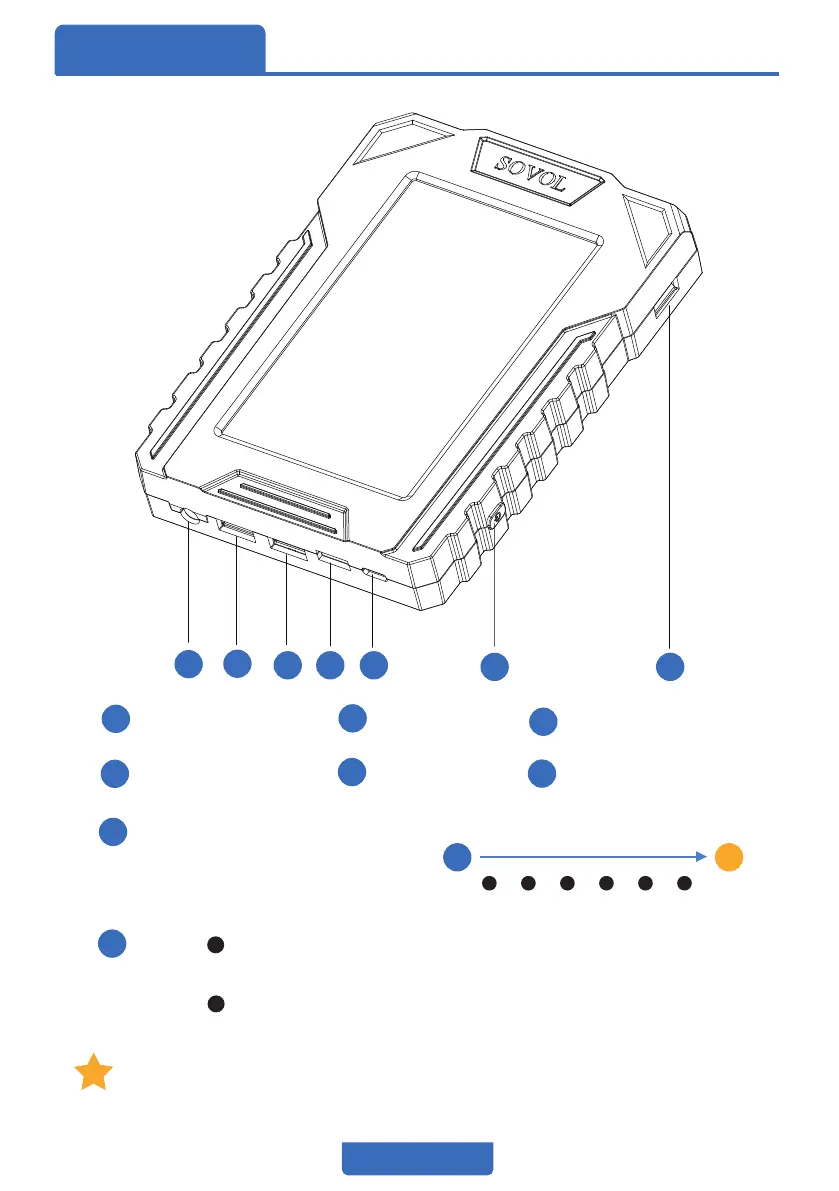
Pins Defini�on
Touchscreen
5
6 7
2
3 4
1
5
6
7
2
3
4
1
DC12~24V
USB2.0
USB3.0
Accelerometer
Type-C
Power
USB2.0
Accelerometer pin definition:
SCK
DI
DO
3-A7
3V3
GND
6
Power:
Press the Power button for more than 5s at power on
satus, the klipper system will closed.
Press the Power button for 1s at power off status,
it will power on.
After closing the klipper system, the printing will be stopped,
even though you didn’t turn off the machine's power.


 To Next Page