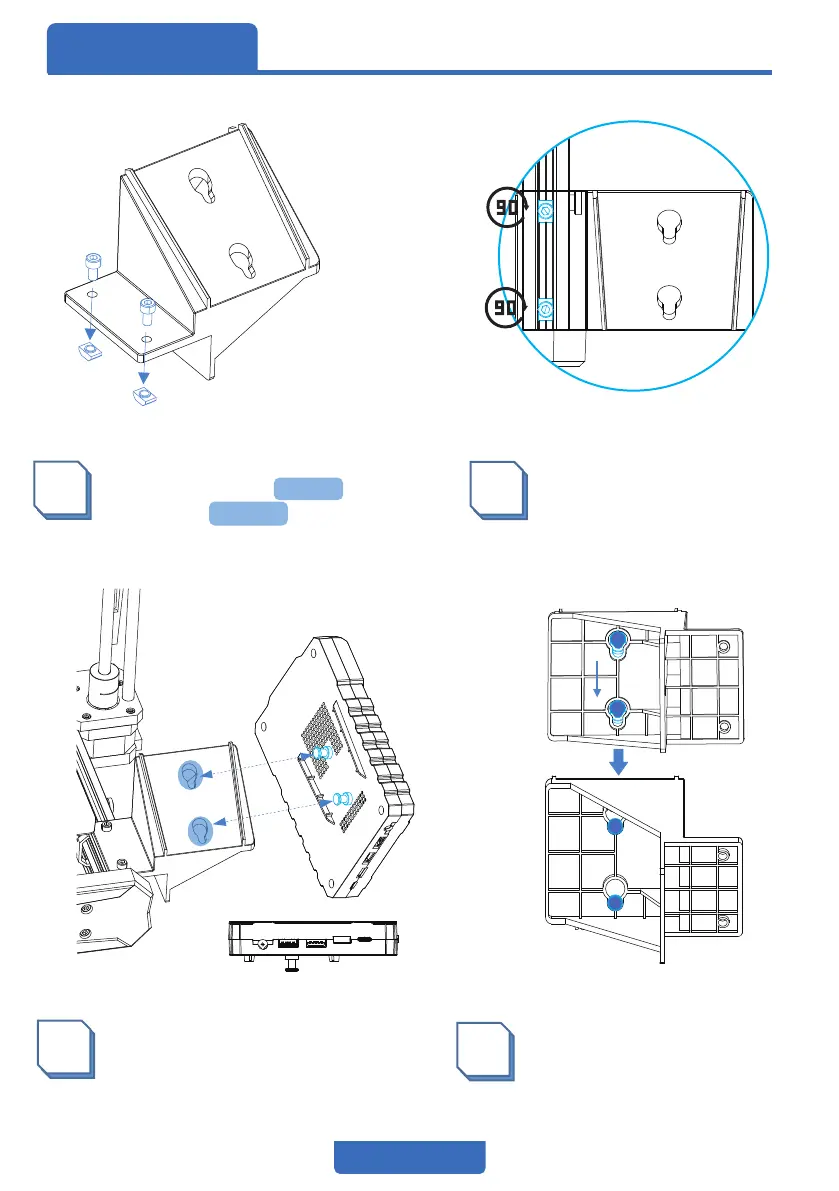
1
4
Slide the touchscreen downwards
to attach it to the bracket.
3
Install the touchscreen on
the bracket.
2
Rotate the nut by 90° and
snap it into the profile, then
use a screwdriver to fasten
the screw.
The ports are on the bottom
04
Install the TouchscreenAssembly
Fixing the mounting bracket to
the profile with two M4X8
screws and M4 nuts


 To Next Page