So now what? Go have a look at your serial monitor. You should see "New value:" with your message.
Having a hard time seeing? Click the image for a closer look.
This is just a quick walk through of one of the provided examples. We recommend looking through the rest of the
provided samples and playing with the code to see what may work for your application. For more information on
Bluetooth technology and how it works, check out our Bluetooth Basics Tutorial.
Further Examples
With the MicroMod system, the possibilities for examples with all the processor/carrier board are endless, and we
just can't cover them all. You'll notice that in this tutorial, we've selected the Input and Display Carrier Board, but
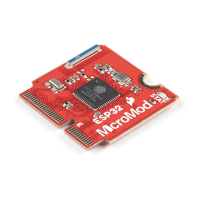
have focused our examples on the Esp32 Processor Board. If you're interested in examples specifically for our
carrier board, head on over to our SparkFun MicroMod Input and Display Carrier Board Hookup Guide.


 To Next Page
