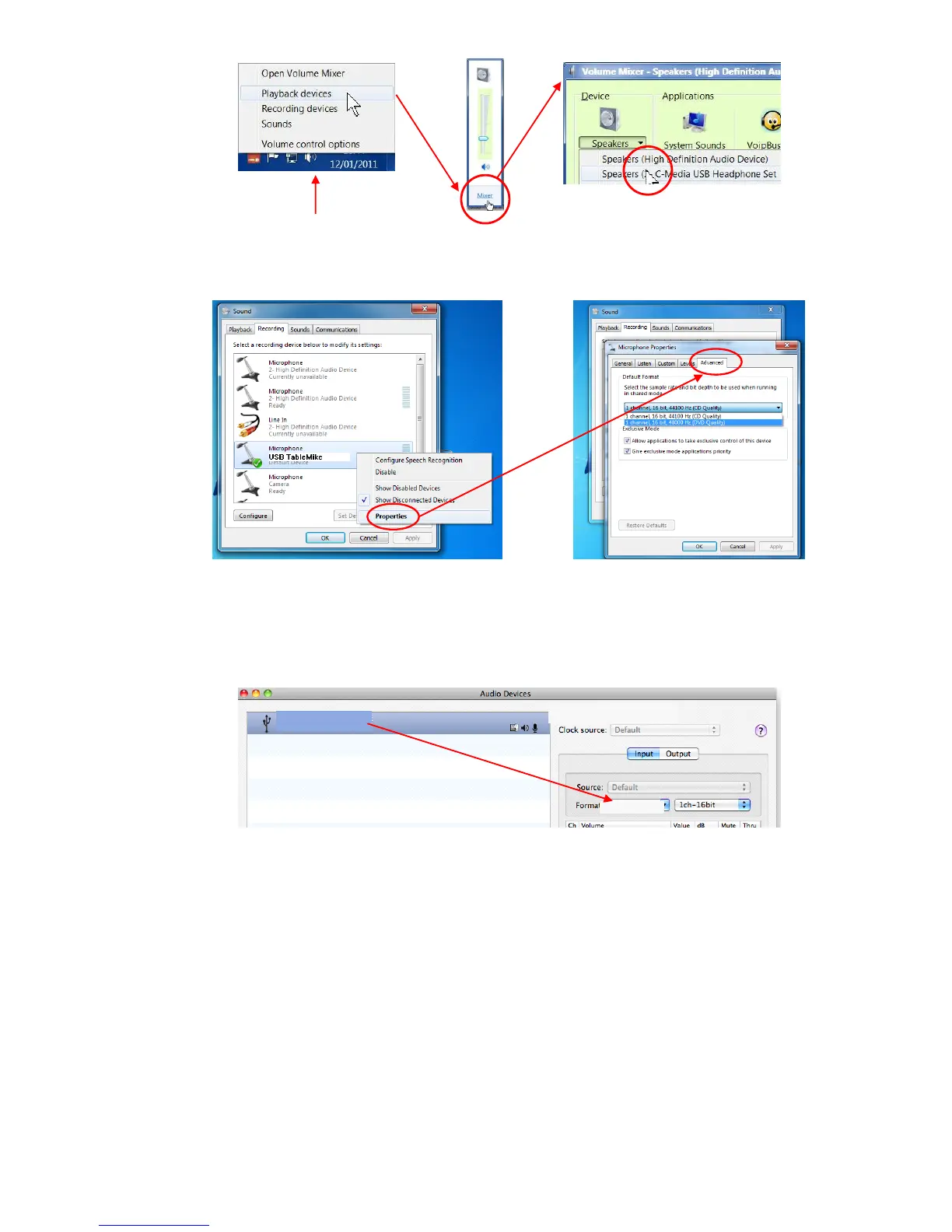
You can also go to 'Control Panels', 'Sound' and select the 'Playback' tab to achieve the same result. Also, in the
'Sound' window click the 'Recording' tab and check that the 'USB TableMike' is the 'Default Device'. Select and
click-right on it. Click 'Properties', 'Advanced' and choose '1 channel, 16 bit, 48000 Hz (DVD Quality)':
2.2. Additional instructions for Mac OS® 10 or higher
Open up 'Audio MIDI Setup' located in 'Utilities' under 'Applications'. Select now the 'USB TableMike' from the
list of devices, if you have more than one. Select the 'Input' tab and choose '48000.0 Hz' and '1ch – 16 bits' from the
pull-down menus under 'Format'. Adjust the Volume slider as needed:
3. Working with NaturallySpeaking® 11 under Windows 7®, Vista® or XP®
Due to the uniqueness of the built-in 'Speech Equaliser' for best performance and recognition accuracy under low
to moderate noise with NaturallySpeaking® we strongly recommend you create a NEW USB User Profile with
the Green LED on. To do this:
a) Check the Push Button microphone switch under the base of the microphone. It has three different
settings: 'Always On', 'Push to Talk' and 'Push to Lock'. The second is selected by default. Press the
'Push' button and the Red colour LED in the base will change and remain Green - recommended Speech
Recognition usage.
b) In this special mode, the microphone will substantially increase both voice pick-up and noise cancelling
levels ('signal to noise ratio' to deliver extremely high transcription accuracy from 10 cm up to an amazing
50 cm (4”-20”) range, depending on your voice and ambient noise, comparable to that of the best headsets.
Ideally, place and keep yourself at about 25 cm (10”) from the microphone element. Note that the
Automatic Gain Control (AGC) will automatically adjust the signal output volume depending upon your
distance from the microphone element. As the distance increases, the volume output increases. However,
this can cause a problem because AGC is an amplification process and amplifying the output also amplifies
any background noise or sounds, which may provoke frequent 'Please say that again' or '???' messages
from NaturallySpeaking® when clicking keys and the like. These messages will not affect accuracy at all.



 To Next Page
 Loading...