If you wish to use the USB TableMike as a high quality voice recorder and instead of a digital one to
automatically transcribe your recordings, download a free recording application such as the Audacity
(http://audacity.sourceforge.net) and save your recording in a standard sound format such as: wav, MP3 or wma
providing at least 16 bits, 11,025 Hz, mono --22,000 Hz will be better with NaturallySpeaking® 11. You may also
want to download and try for 30 days our Transcription Aid to transcribe and edit those recordings with many
more useful options than NaturallySpeaking® from: http://transcriptionaid.net/download/index.php
Download and install SpeechControl for TableMike (SCT) an application to start or restart (if it is locked up)
NaturallySpeaking®, as well as switching on the microphone from the off state (red icon), all by voice for a 15 day
trail from: www.tablemike.com/speechcontrol
4. Optional recommended accessories to complement your working experience with the TableMike
The Fix-to-table or Wall-Mount-Adapter for safety or convenience purposes.
The industry first 40 cm to 60 cm Telescopic and Cardioid microphone boom for more flexibility and range.
A special 25 cm long Hypercardioid shotgun mic for maximum ambient or background noise rejection.
FlexyMike: the lightest and most comfortable headset in the market to connect in the back of the microphone
www.speechware.be/en/hardwareFlexyMike.php
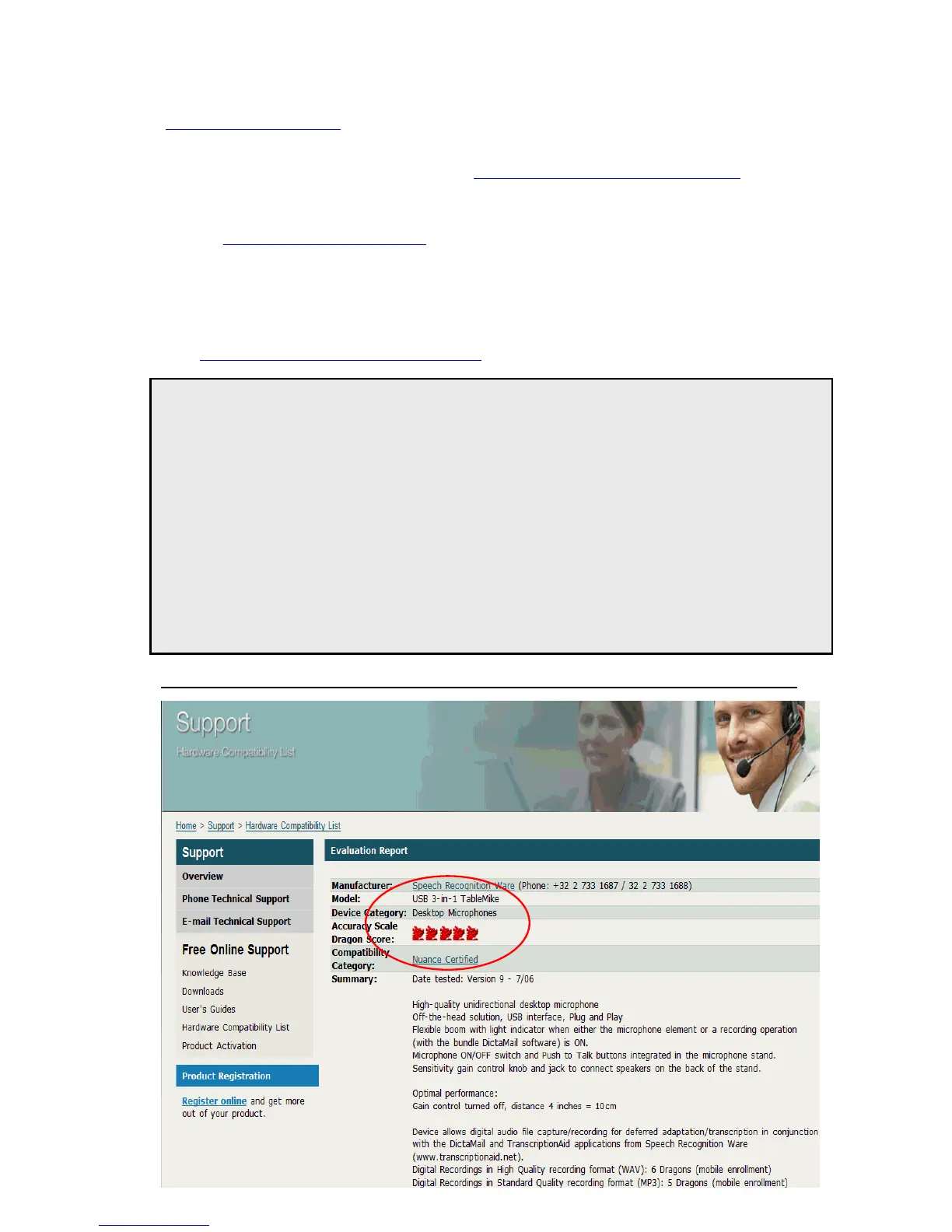
Best in class '5 Dragons' certification of the TableMike (former model) for Dragon NaturallySpeaking® by Nuance Inc.:
Specifications (major innovations highlighted in blue)
Main features:
USB interface (v.1 and 2.0 compliant) with audio output and input Sound ports
Detachable boom with professional hi-fi mini-XLR connectors for easier removal, portability and storage
Speech Equaliser for optimum Speech recognition performance (like a headset!) and Normal or HD VoIP mode
Operating System: Windows® 7 / Vista® / XP® / 2000 / MacOS® 10.0 or higher / Linux without additional USB Sound drivers
Compatible voice applications: Dragon NaturallySpeaking®, Microsoft Speech for Windows®, ViaVoice®, etc.
Capsule type: Back Electret Condenser with Cardioid Polar Pattern
Control Panel: Digital buttons to avoid unwanted noise 'clicks'
Push Button modes: Always On / Press to Lock / Press to Talk
ADC sample resolution and rates: 16 bit mono and up to an exceptional 48 kHz for both Recording and Playback
(maximum of 22 kHz in best competing devices!)
Sensitivity: -37 dB@1kHz, SPL=1Pa
SNR: an exceptional 92 dB, 1kHz at 1 Pa
Frequency response and Output Impedance: 80 - 20,000 Hz and 1700 ohms
Sound ports: Standard 3.5 mm mono mic-in and 3.5 mm stereo out with 2 Watts
Power supply: from the USB port of the PC (no need for batteries!)
Other unique features: Automatic Gain Control (AGC), High and Low Pass filters, Digital Signal Process (DSP)
Dictating distance (in Speech Equaliser mode): from a minimum of 10 cm up to 50 cm (4”-20”) and more, depending on
your voice and ambient noise (NaturallySpeaking® will warn in case of a weak signal). Optimal distance 20 cm or 10”



 To Previous Page
 Loading...