After connecting the keyboard with the PC’s USB port it is directly
ready to use without needing to install drivers or software.
Personalising of colours and key combinations is only possible
with installed software.
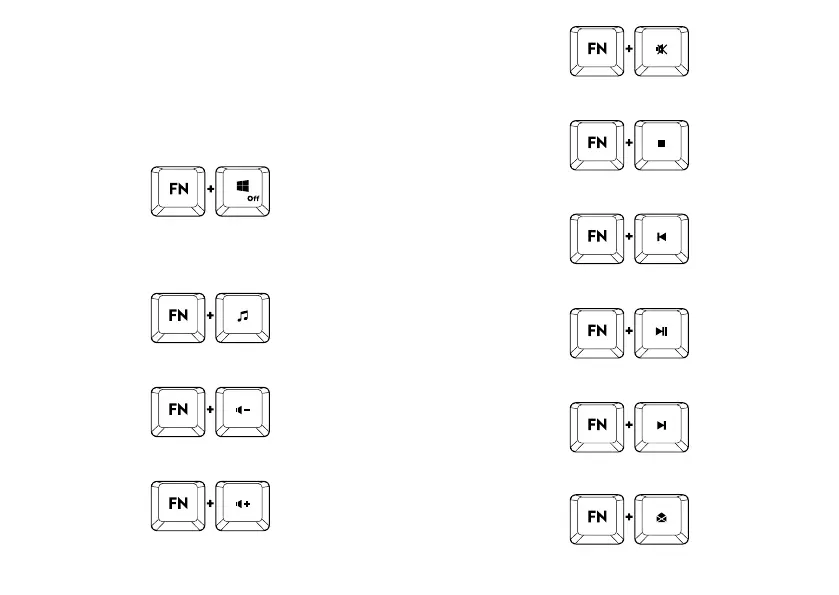
THE FOLLOWING FUNCTIONS CAN BE PERFORMED WHEN
THE ‘FN’ KEY IS ALSO HELD PRESSED:
Windows* Key Lock (on/o)
MULTI-MEDIA CONTROL:
Media
Decrease volume (-)
Increase volume (+)
Mute
Stop
Previous track
Play/pause
Next track
Mail


 To Next Page