Radgröße · Wheel size · Dimension de roue
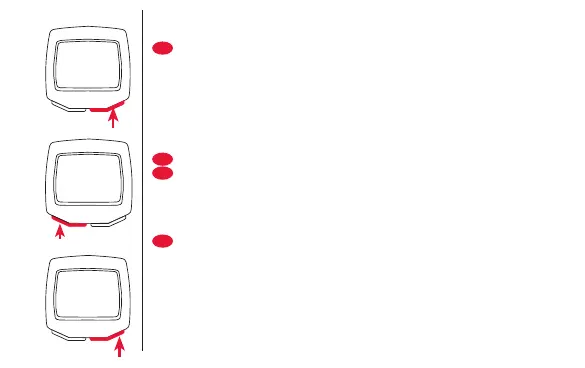
• Mit RESET KMH oder MPH einstellen (Uhr bei KMH
24h-, bei MPH 12h-Anzeige!). Mit MODE bestätigen.
• Die Standardeinstellung zur Eingabe des Radumfangs
wird angezeigt.
• Mit RESET ändern Sie die Zahlenwerte (nach 9 folgt 0)
• Mit MODE bestätigen und an die nächste Stelle
wechseln.
• Enter KMH or MPH with RESET (clock at KMH 24h-
display, at MPH 12h-display!). Confirm with MODE.
• The display shows the input standard of wheel size.
• Choose the number with RESET (after 9 comes 0).
• Confirm with MODE and go to the next position.
• Appuyer sur RESET pour choisir entre KMH ou MPH
(KMH affichera l’heure avec 24H et MPH avec 12H !).
Confirmer avec MODE
• La programmation d’origine affiche une dimension
standard.
• Appuyer sur RESET pour changer les chiffres (après 9
vient 0)
• Confirmer avec MODE et passer à la position suivante.
La
KMH
SET KM
D
GB
F
DEUT
SEt
MPH
SET M
USA


 To Next Page