Need help?
Do you have a question about the Sphero LittleBits and is the answer not in the manual?
A small, convenient module to turn creations on and off using a plastic lever.
A sturdy on/off switch that provides a solid click and a good feel for projects.
A big, round, springy module activated by pressing, used to turn creations on/off.
Controls output by moving a slider, functioning like a light dimmer or volume fader.
Uses a knob to control creations, similar to stereo volume, sending more signal to modules.
A touch-activated module that outputs more signal with increased pressure applied to its pad.
Measures light intensity, outputting higher signals in "light" mode and lower in "dark" mode.
Senses movement within a 360-degree area, sending an 'on' signal when motion is detected.
Features a lever with a wheel that activates when pressed, with a mode to turn off when pushed.
Listens to noise levels, sending an 'on' signal when loudness exceeds a set threshold.
Incorporates computer programming into circuits, built upon the Arduino environment.
A small board that shines a green light, used to illuminate creations.
A flexible lighting option where the light is connected to the board by a cable.
A special light with adjustable color, allowing creation of almost any color via screwdriver adjustment.
Makes creations vibrate and buzz, similar to a phone receiving a text.
 General
| Connectivity | Bluetooth |
|---|---|
| Power Source | Battery |
| Age Range | 8+ |
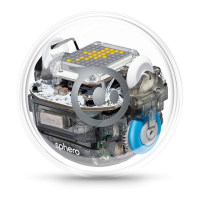
| Components | Sphero robot |
| Compatibility | iOS, Android, Chrome OS |
| Educational Focus | Coding |
| Programming Language | Block-based coding |


 To Next Page